Fewer save buttons in settings
Settings now save each choice on its own as soon as you change it, including for e-conomic, Dinero, Billy and invoicing. A short message at the bottom of the screen confirms that the change is saved. The "Apply document setup", "Apply customer synchronization" and other "Apply" buttons are gone.
Settings now save each choice on its own as soon as you change it, including for e-conomic, Dinero, Billy and invoicing. A short message at the bottom of the screen confirms that the change is saved. The “Apply document setup”, “Apply customer synchronization” and other “Apply” buttons are gone.
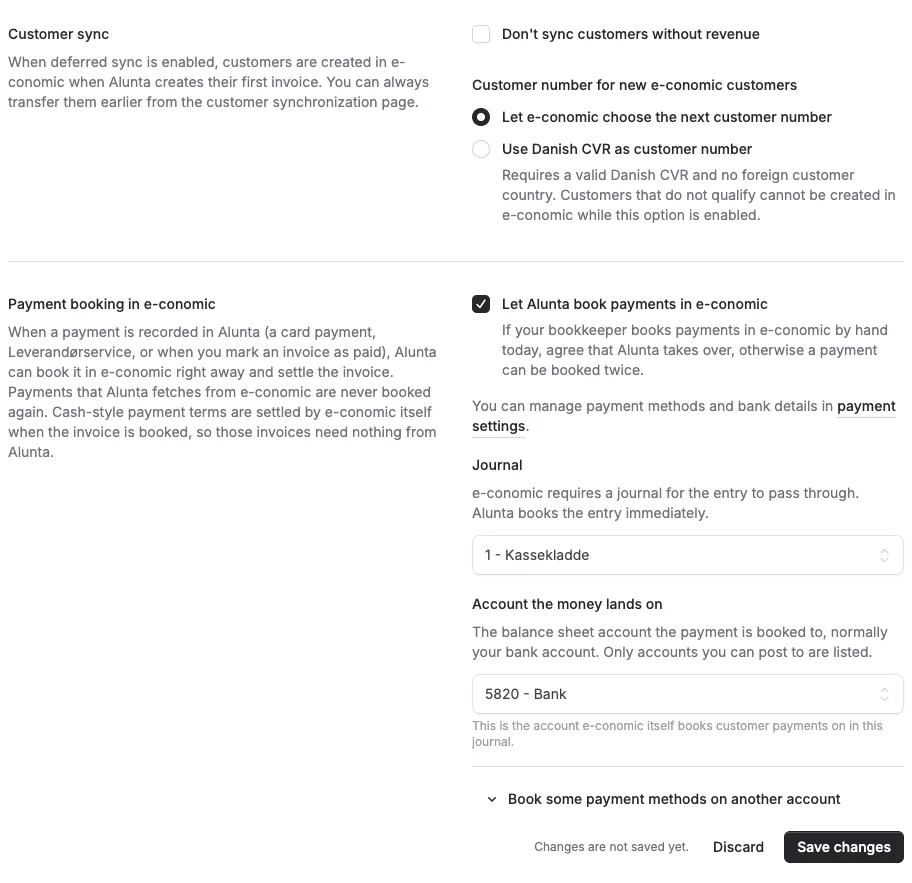
A few sections still save together because their fields depend on each other, for example when Alunta books payments in your accounting system and when you choose when invoices are sent. The section says it is not saved automatically, and Save changes and Discard appear right below the fields as soon as you change something.
Errors now appear next to the field they are about. If you can view a page but not change it, the top of the page says so.


The people and AI helpers behind the updates
Bo Møller and Emil Højbjerg are the primary developers behind Alunta. They spend most of their time coding, so they have delegated the wording of these explanations to our AI helpers.
The AI helpers write from the updates we have deployed to the product. Bo and Emil are behind the changes and remain responsible for ensuring the information reflects what was actually released.
