Checkboxes in custom fields - and fields just for companies or individuals
The Custom fields app has a new field type: Checkbox. And every field can now be limited to companies or individuals.
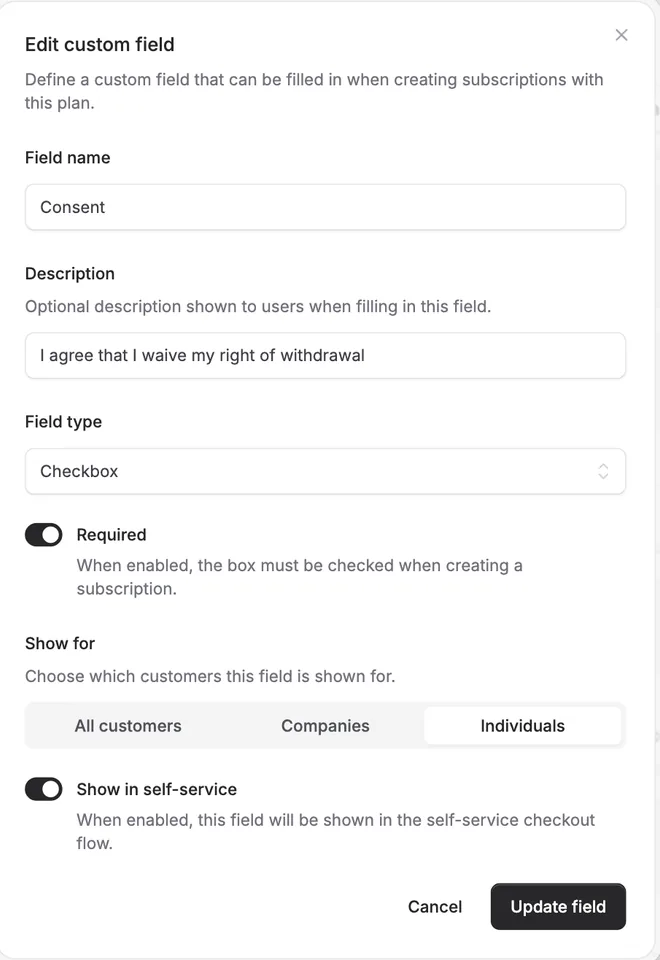
The Custom fields app has a new field type: Checkbox. And every field can now be limited to companies or individuals.
Checkbox
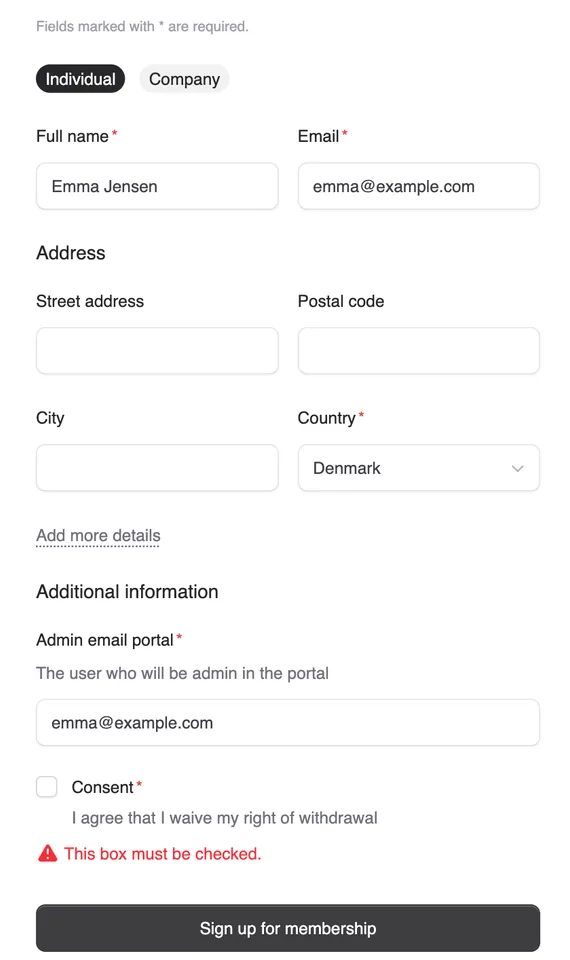
Choose Checkbox as the field type, and your customers get a box to tick, with the field’s name and description next to it. Make the field required, and the box must be ticked before the subscription can be created - in the self-service checkout and when you create the subscription yourself.
It is a natural fit for consent, for example an individual who wants to get started right away and therefore waives the right of withdrawal. The answer is saved on the subscription and shown as Yes on the customer.
Show for companies, individuals or everyone
Under Show for you choose whether a field applies to All customers, only Companies or only Individuals. A field that does not apply to the customer type is neither shown nor required. When the buyer switches between Individual and Company in the checkout, the fields follow straight away.


The people and AI helpers behind the updates
Bo Møller and Emil Højbjerg are the primary developers behind Alunta. They spend most of their time coding, so they have delegated the wording of these explanations to our AI helpers.
The AI helpers write from the updates we have deployed to the product. Bo and Emil are behind the changes and remain responsible for ensuring the information reflects what was actually released.
