Remind customers before a cancelled subscription ends
Under Settings > Customer emails you will now find a new email: Reminder before a subscription ends. It gives the customer one last chance to change their mind before a cancelled subscription stops.
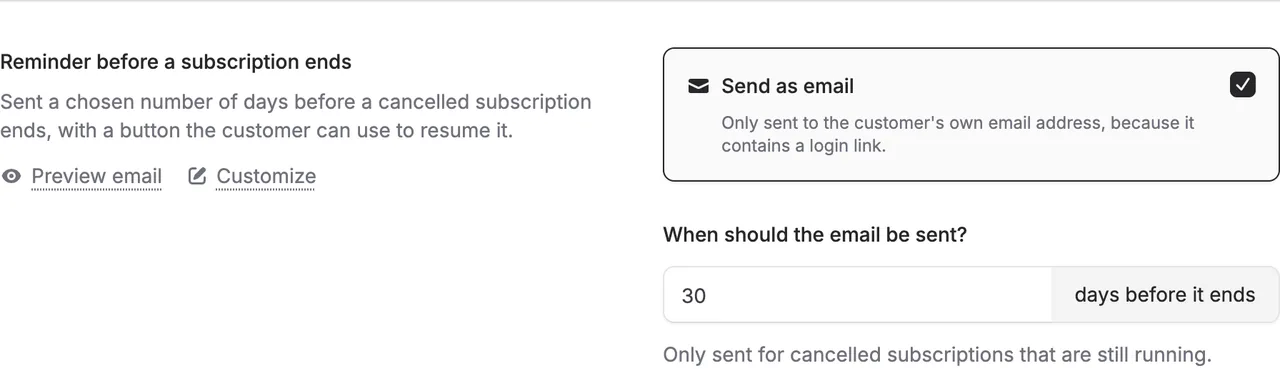
Under Settings > Customer emails you will now find a new email: Reminder before a subscription ends. It gives the customer one last chance to change their mind before a cancelled subscription stops.
How it works
The email is off until you switch it on yourself. You choose how many days before the end it is sent. The default is 30 days, and you can choose anything from 1 to 180 days.
It is only sent for subscriptions that the customer or you have cancelled and that are still running. If a customer has several cancelled subscriptions ending on the same day, they are all listed in the same email. A customer only gets one reminder for each end date. The email goes only to the customer’s own email address, not to additional recipients, because it contains a personal link.
Subscriptions that stopped because of a failed payment do not get the reminder. Those customers first need to get their payment sorted out.
Resume with one click
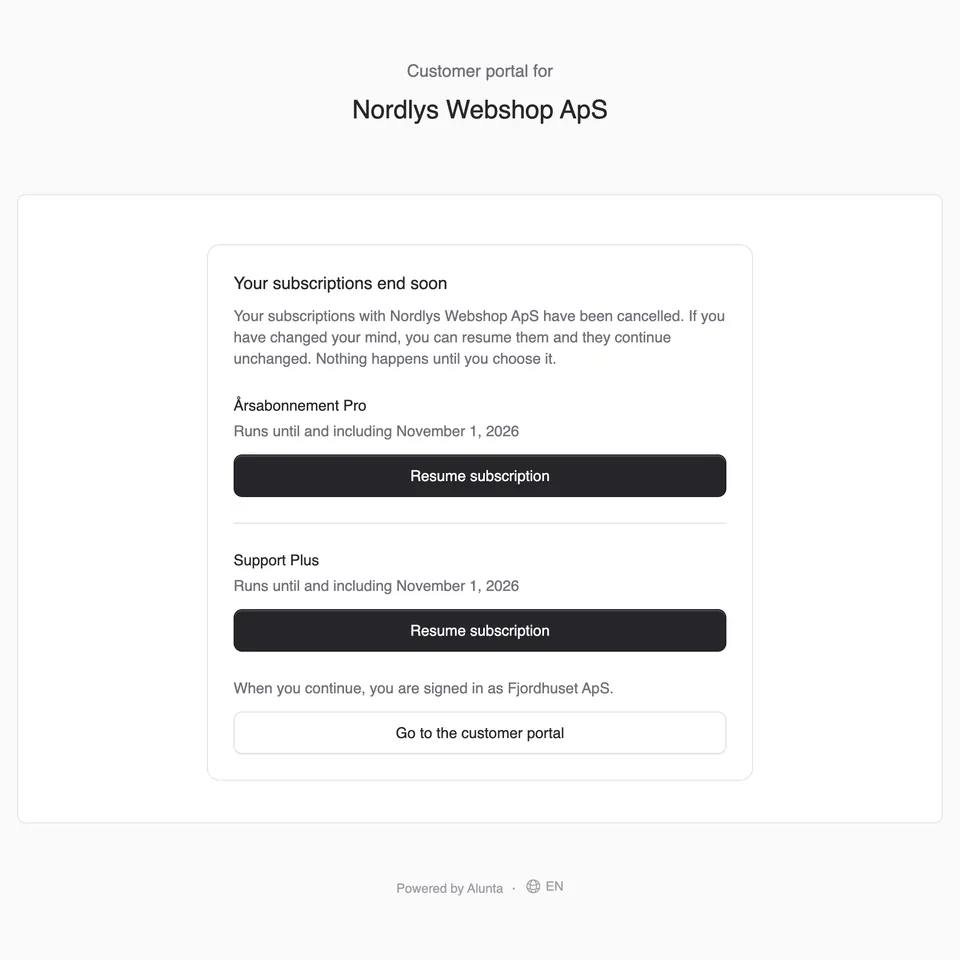
The email has a button that opens a page where the customer can choose Resume subscription. The customer is logged in to the customer portal. The link works only once and only up to and including the end date.
At the same time, the customer portal no longer offers one-click resume for a subscription that stopped because of a failed payment, for a card subscription without a saved card, or for a subscription imported from e-conomic with a fixed end date. The customer is pointed to you instead, and you can still resume the subscription yourself.
As always, you can customise the subject and texts and see a preview before you switch the email on.
If you want to run other reminders based on cancellations yourself, you can use webhooks. See the recipe in the integration guide.


The people and AI helpers behind the updates
Bo Møller and Emil Højbjerg are the primary developers behind Alunta. They spend most of their time coding, so they have delegated the wording of these explanations to our AI helpers.
The AI helpers write from the updates we have deployed to the product. Bo and Emil are behind the changes and remain responsible for ensuring the information reflects what was actually released.
