See changes to apps, access, and settings
The activity log under Settings → Users and activity → Activity now gives you a broader view of who changed your company setup.
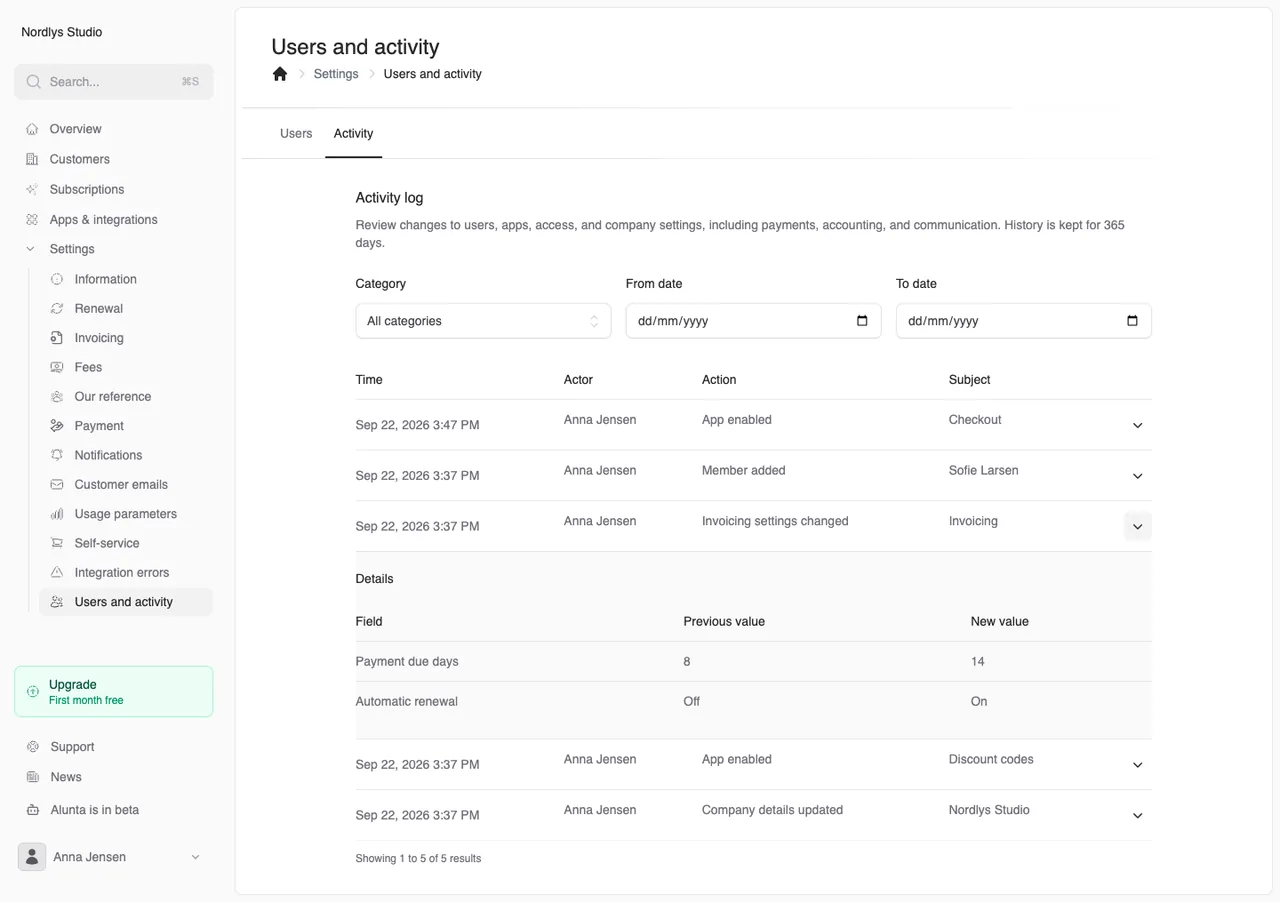
The activity log under Settings → Users and activity → Activity now gives you a broader view of who changed your company setup.
In addition to users and company details, the log now records app activation and deactivation, integration connections and disconnections, and changes to payment, invoicing, and accounting settings. It also covers API and AI access, webhooks, customer emails, notifications, checkout, and self-service.
Open an entry to see the change. Ordinary settings show their previous and new values. Access keys, private links, documents, and email content are shown as changed without storing their contents in the log. Saving an unchanged setting creates no new entry.
The screenshot uses fictional data. Click to view it at full size.
Use the category and date range to find relevant changes. Owners and administrators can view the log, and history is kept for 365 days. The expanded coverage applies to changes made after this update; earlier changes are not reconstructed.


The people and AI helpers behind the updates
Bo Møller and Emil Højbjerg are the primary developers behind Alunta. They spend most of their time coding, so they have delegated the wording of these explanations to our AI helpers.
The AI helpers write from the updates we have deployed to the product. Bo and Emil are behind the changes and remain responsible for ensuring the information reflects what was actually released.
