What you get with Customer communication
Your brand
Use your company name, contact details and logo in customer emails and Alunta invoices.
Customer communication in eight languages
Danish, English, German, Italian, French, Swedish, Norwegian and Spanish follow the customer journey.
Preview before saving
Edit templates for each language, insert fields and check the result with sample data.
Customer emails, checkout and documents in the customer’s language
The selected language applies to the portal, checkout, customer emails and new Alunta invoices and credit notes. Set it on the customer profile or let customers save their preference in the portal. Automatic language follows the customer’s country.
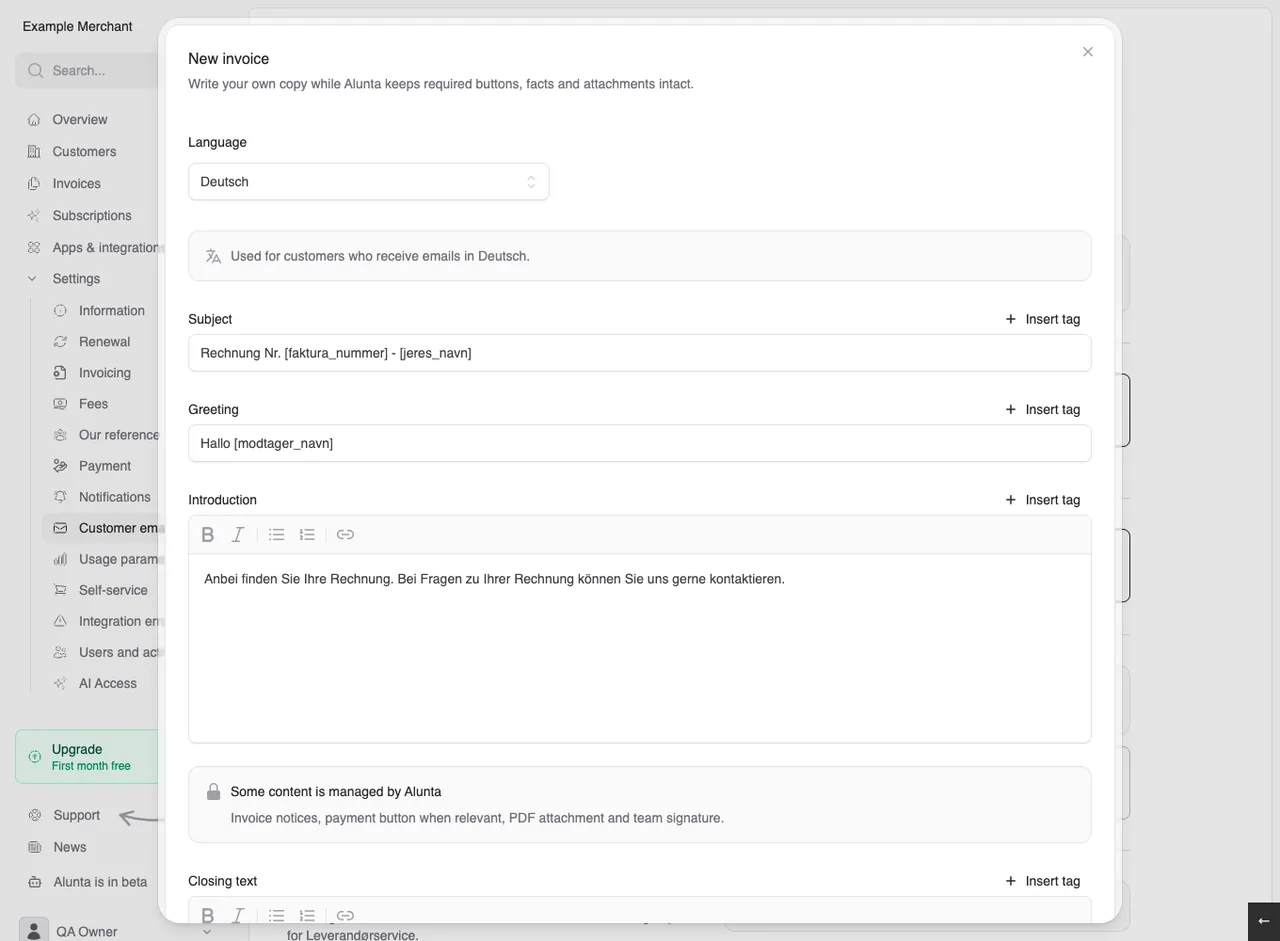
Customise the messages customers receive
Choose which email types to send, then edit the available text fields. Each language has its own template. Attach fixed files to invoice emails and remind customers before automatic invoicing or a cancelled subscription expires.
- Your brand
- Customer communication in eight languages
- Preview before saving
Get started with Customer communication
Open Settings → Customer emails. Select an email type and language, edit the text using the field picker and preview before saving. Set the customer language on their profile or in the portal.
Explore more possibilities in Alunta
License subscriptions
Choose a price per license or a base price with included users. Customers see the price in checkout and the invoice explains their license count.
Explore License subscriptionsAI access (MCP)
Connect Alunta to a compatible AI assistant. Get answers about customers, MRR, invoices and bookkeeping based on your own business data.
Explore AI access (MCP)Payment reminders
Bring follow-up for DKK invoices in e-conomic and DKK card subscriptions with Stripe or QuickPay into Alunta. Build a reminder sequence, choose which steps need approval and help customers recover from failed card payments.
Explore Payment remindersFrom the product team
Updates about Customer communication
Read the product team’s own updates about Customer communication, with details of new capabilities and improvements.
Questions and answers about Customer communication
Are our own texts translated automatically?
No. Product names, notes, invoice text and other free text are not translated automatically. Each language has its own email template. Administration remains in Danish or English.
Does language change currency or old invoices?
No. Currency, VAT and payment method remain the same. Historical invoices retain their language, and related credit notes follow the original invoice.
Do external providers support all eight languages?
External invoice PDFs and payment windows follow the provider’s capabilities. Dinero supports Danish and English, using English for other languages. PensoPay uses Danish or English; Cost+ uses English for Italian and Spanish.
Where do we edit customer emails?
Open Settings → Customer emails and choose the email and language you want to edit. Each language has its own template.
