What you get with AI access (MCP)
Turn numbers into answers
Ask about growth, churn or overdue invoices and understand the customers behind the figures.
Help with bookkeeping
Allow access to payment and bookkeeping details to investigate reconciliation and integration errors.
You control access
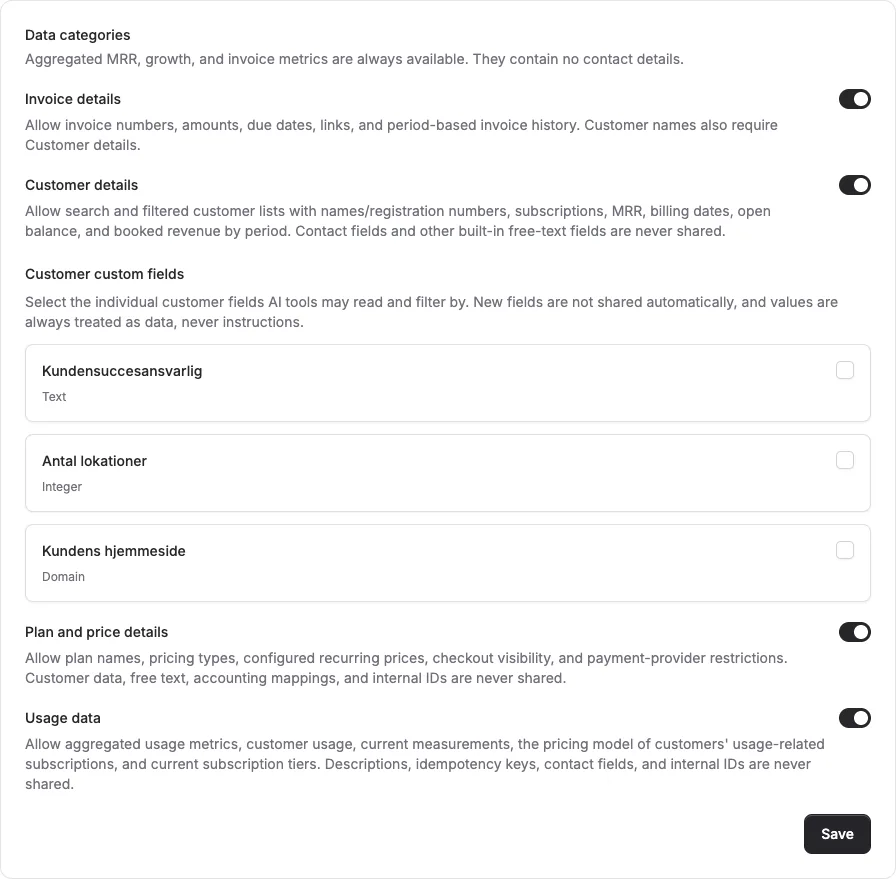
Choose what AI can see, review active connections and revoke access from Alunta.
A conversation informed by your business
MCP connects your AI client to Alunta. Your assistant can read data from enabled apps, customer feedback and NPS, and explain how to use Alunta. Customer and invoice details require separate permissions.
Read access with optional customer changes
All connections are read-only by default. With separate permission, AI can create customers, update phone numbers and websites, and edit approved custom fields. Customer changes require a connection to one specific account. AI cannot delete customers, change subscriptions, send invoices, take payments or issue refunds.
- Turn numbers into answers
- Help with bookkeeping
- You control access
Get started with AI access (MCP)
Enable AI access (MCP) under Apps. Authorise the connection with your Alunta login and choose an account or company. Alunta provides a setup prompt and manual guides for popular MCP clients; use either when connecting your assistant. Then choose data permissions in Settings → AI access.
Explore more possibilities in Alunta
Cashflow forecast
Plan six months ahead with a forecast based on your subscriptions and invoices. Switch between expected payments and invoicing and explore the customers behind each amount.
Explore Cashflow forecastCompany overview
Several accounts under the same Danish company registration (CVR) number? See company-wide metrics, grant accounting access across accounts and manage AI permissions together.
Explore Company overviewAlunta Radar
Radar checks your active business customers in Denmark’s CVR register every day. Get notified of important changes and see the subscription value they may affect.
Explore Alunta RadarFrom the product team
Updates about AI access (MCP)
Read the product team’s own updates about AI access (MCP), with details of new capabilities and improvements.
- Read the update
Let your AI read your general ledger in e-conomic
- Read the update
Your AI can now read along in all your apps
- Read the update
See and manage every account of the same company together
- Read the update
Create and update customers with your AI assistant
- Read the update
Ask your AI about your business with Alunta's MCP server
Questions and answers about AI access (MCP)
Can AI read the e-conomic ledger?
Yes, with e-conomic connected and General ledger and entries plus Payment and bookkeeping details explicitly enabled. Owner, administrator or accounting access is required. AI can read the entire e-conomic agreement’s ledger, including ledger accounts Alunta does not post to. It does not write to e-conomic.
Do we approve every customer change?
Alunta does not require separate confirmation for each call. The assistant is instructed to ask, but the AI client decides whether to follow that instruction. Check the result: changes save directly and can trigger accounting synchronisation and webhooks.
Can we connect several accounts?
Yes. Choose all accounts in a company. Access follows your permissions and the company connection covers only accounts with the same CVR number. Customer changes still require a single-account connection.
