Clearer saving in settings and apps
Everyday settings now save automatically. Toggle an option, choose from a list, or leave a text field: Once the change is saved, Saved appears beside the field and a brief notification confirms it. You can also press Enter in single-line fields.
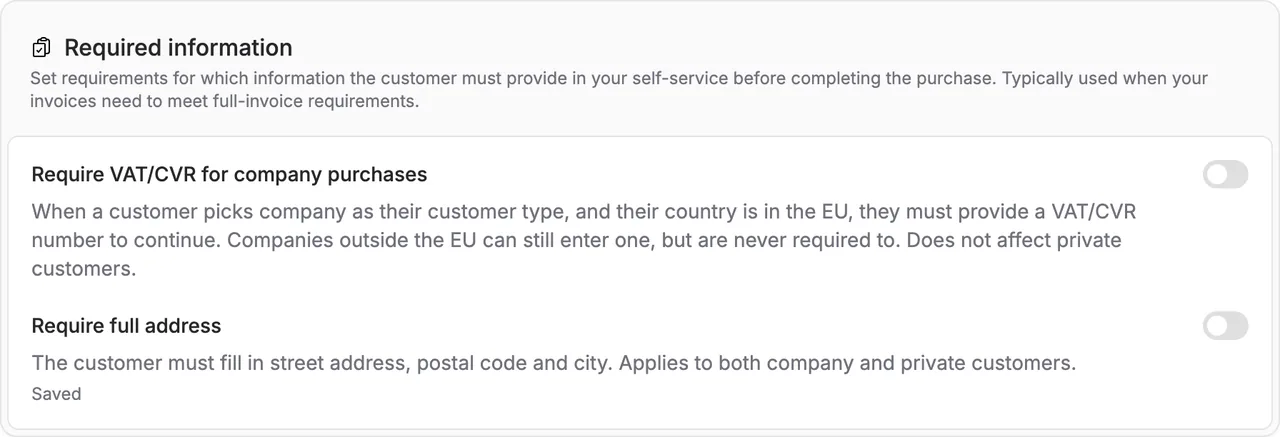
Everyday settings now save automatically. Toggle an option, choose from a list, or leave a text field: Once the change is saved, Saved appears beside the field and a brief notification confirms it. You can also press Enter in single-line fields.
This includes contact details, colours, notification preferences and selected app settings. If a change cannot be saved, your input stays visible so you can correct it or retry.
Settings that need to work together still have a local action button, such as Apply bookkeeping setup, Apply email templates or Publish terms. These changes only take effect when you apply them. Payment credentials and prices also keep an explicit action.
If you leave a page with unapplied changes, Alunta helps you choose whether to stay or discard the draft. Disconnecting an app remains a separate action that takes effect immediately.


The people and AI helpers behind the updates
Bo Møller and Emil Højbjerg are the primary developers behind Alunta. They spend most of their time coding, so they have delegated the wording of these explanations to our AI helpers.
The AI helpers write from the updates we have deployed to the product. Bo and Emil are behind the changes and remain responsible for ensuring the information reflects what was actually released.
