Customer writes moved into AI Access
Switching on customer writes for AI tools now lives under Settings → AI Access → "What AI can change" → Customer writes, right below what AI can see, instead of being tucked away in a menu on a single connection.
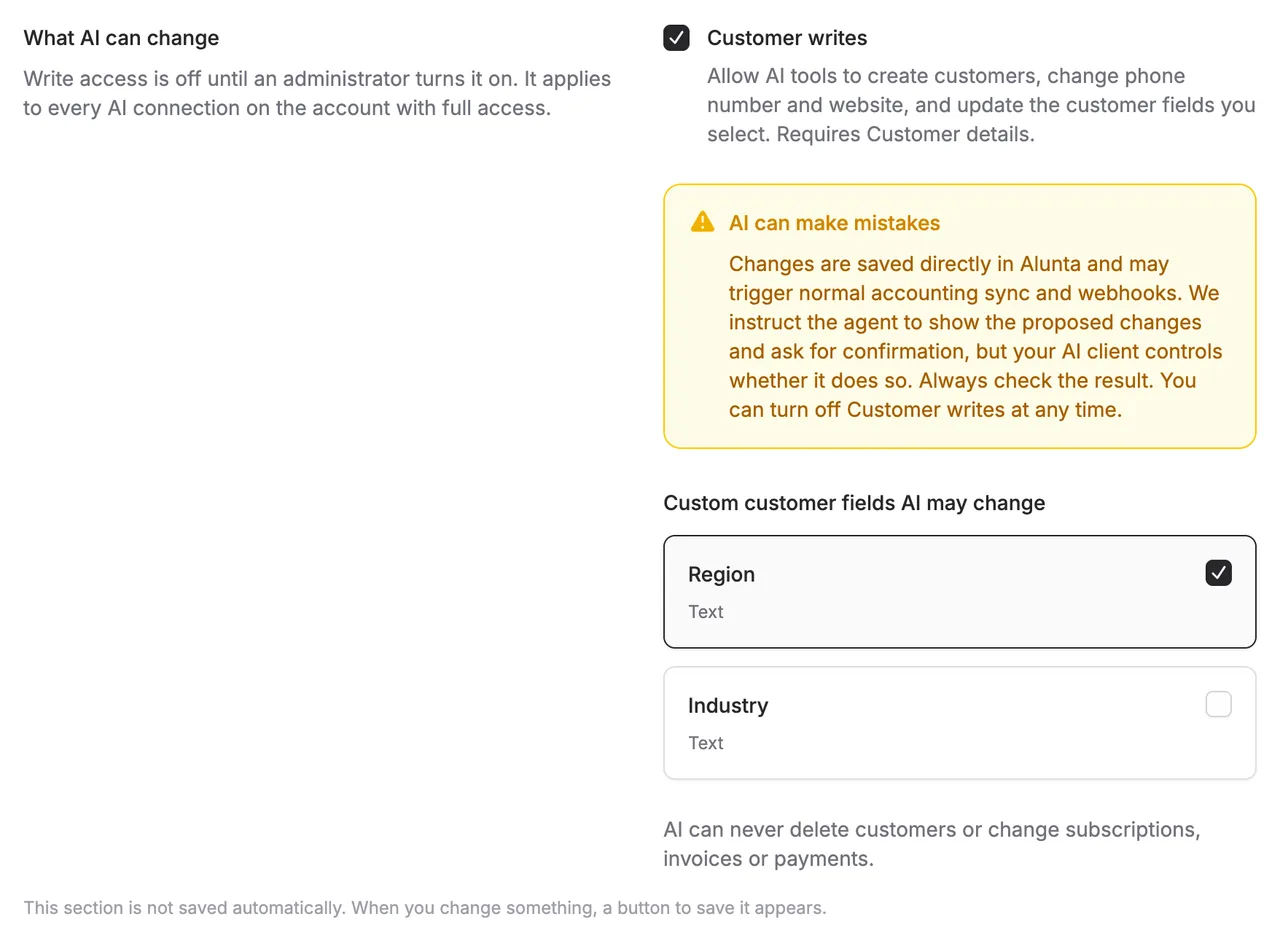
Switching on customer writes for AI tools now lives under Settings → AI Access → “What AI can change” → Customer writes, right below what AI can see, instead of being tucked away in a menu on a single connection.
Check Customer writes, optionally choose which custom customer fields may be changed, and press Save - the same button that saves your choices under “What AI can see”.
The setting now applies to your whole account at once: every connection with full team access gains - or loses - write access together, instead of being switched on one connection at a time. Bookkeeping connections can still only read. If the tools haven’t shown up in your AI client yet, you may need to reload tools there; you don’t need to reconnect.
Uncheck Customer writes to turn it off again - read access continues unchanged.


The people and AI helpers behind the updates
Bo Møller and Emil Højbjerg are the primary developers behind Alunta. They spend most of their time coding, so they have delegated the wording of these explanations to our AI helpers.
The AI helpers write from the updates we have deployed to the product. Bo and Emil are behind the changes and remain responsible for ensuring the information reflects what was actually released.
