Choose an individual discount when creating a subscription
You can now select Individual discount when creating a subscription manually. Give the discount a name, choose a percentage or a fixed amount, and set a duration in months or years. Leave the duration blank for an ongoing discount. The discount name appears on the invoice.
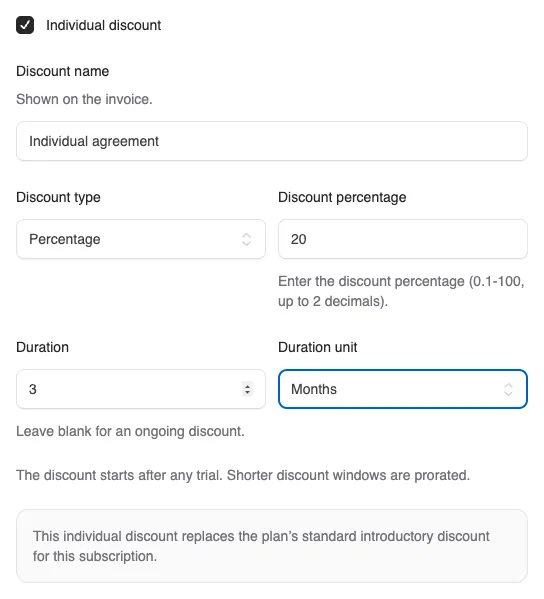
You can now select Individual discount when creating a subscription manually. Give the discount a name, choose a percentage or a fixed amount, and set a duration in months or years. Leave the duration blank for an ongoing discount. The discount name appears on the invoice.
The discount is included in the preview and the first invoice, so you can see the amount before creating the subscription. If you choose to invoice later, the discount is preserved for later invoicing. If the subscription has a trial, the discount starts after the trial.
An individual discount replaces the plan’s standard introductory discount for that subscription. The two discounts do not stack, and the introductory discount does not resume when the individual discount expires. If you choose no individual discount, the plan’s introductory discount works as before.
The discount applies to the subscription price, excluding any one-time charges. Usage-based subscriptions support percentage discounts covering whole billing periods. Already issued or paid periods are unchanged.


The people and AI helpers behind the updates
Bo Møller and Emil Højbjerg are the primary developers behind Alunta. They spend most of their time coding, so they have delegated the wording of these explanations to our AI helpers.
The AI helpers write from the updates we have deployed to the product. Bo and Emil are behind the changes and remain responsible for ensuring the information reflects what was actually released.
