Delete invoice keeps your records and creates a credit note
When you choose Delete invoice on an unpaid invoice, Alunta now cancels it with a credit note for the amount that can still be credited. The invoice stays visible as Credited, and both documents remain under Invoices. This keeps your records consistent with the customer's documents and your accounts.
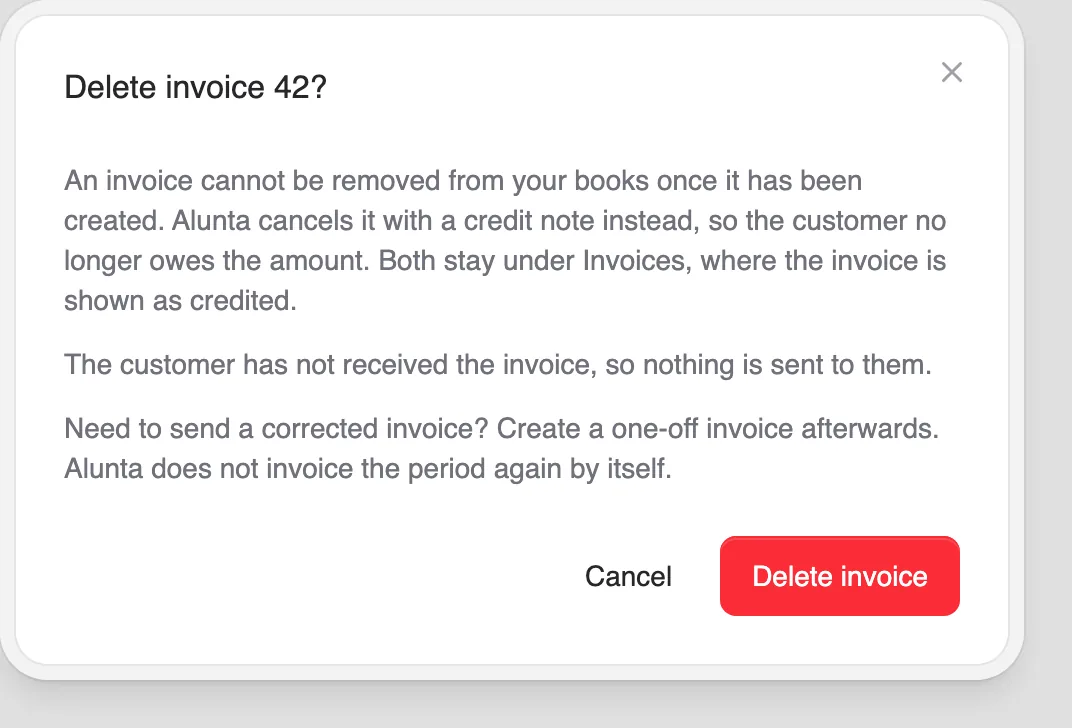
When you choose Delete invoice on an unpaid invoice, Alunta now cancels it with a credit note for the amount that can still be credited. The invoice stays visible as Credited, and both documents remain under Invoices. This keeps your records consistent with the customer’s documents and your accounts.
The dialog explains what will happen and how to send the credit note. If Alunta has already emailed the invoice, the credit note is emailed to the same recipients. An invoice that has not been sent yet has its automatic email stopped.
For a fully or partly paid invoice, you open the usual credit dialog instead and decide whether to refund the payment. If a payment or email delivery is still in progress, Alunta asks you to wait.
If the customer needs a corrected invoice, you can create a one-off invoice afterwards. Alunta does not automatically invoice the credited subscription period again.


The people and AI helpers behind the updates
Bo Møller and Emil Højbjerg are the primary developers behind Alunta. They spend most of their time coding, so they have delegated the wording of these explanations to our AI helpers.
The AI helpers write from the updates we have deployed to the product. Bo and Emil are behind the changes and remain responsible for ensuring the information reflects what was actually released.
