Book Stripe payouts and costs from Alunta
If you use Stripe, you can now review payouts and costs in Alunta and let Alunta book verified fees and payouts in e-conomic, Dinero, Billy or Uniconta.
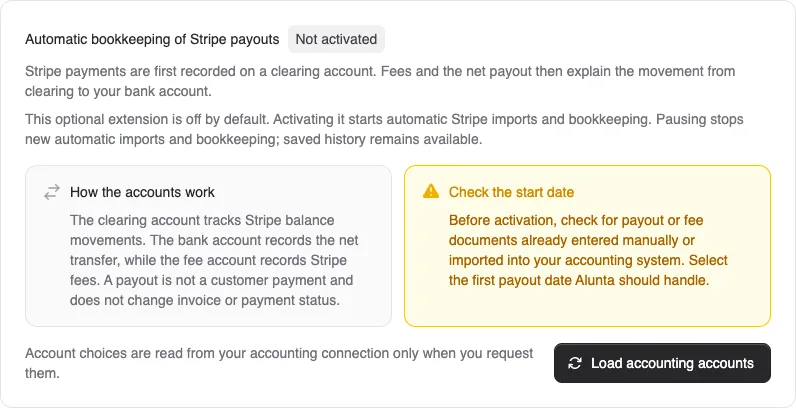
If you use Stripe, you can now review payouts and costs in Alunta and let Alunta book verified fees and payouts in e-conomic, Dinero, Billy or Uniconta.
Under Settings → Stripe, you will find two new tabs:
- Payouts shows each payout’s contents, reconciliation and bookkeeping status, helping you follow the connection between payments, refunds, fees and the amount reaching your bank.
- Costs brings imported Stripe costs together. Attach supplier documents and review account allocation and VAT treatment before booking.
The extension is off by default. Activate it yourself under Payouts once you have agreed the accounts, start date and fee treatment with your bookkeeper. Items that cannot be reconciled or supported by evidence remain on hold for review.
If several Alunta teams share a Stripe account, one primary team manages bookkeeping for the entire account. Other teams show its shared status and cannot activate duplicate bookkeeping. You can pause automation while keeping the saved history available.


The people and AI helpers behind the updates
Bo Møller and Emil Højbjerg are the primary developers behind Alunta. They spend most of their time coding, so they have delegated the wording of these explanations to our AI helpers.
The AI helpers write from the updates we have deployed to the product. Bo and Emil are behind the changes and remain responsible for ensuring the information reflects what was actually released.
