Add fees to your reminder flow
You can now select a reminder fee on each invoice reminder step in Payment reminders. Start with a friendly reminder without a fee, for example, and add DKK 100 at the next step. Reminder fees use the same fee catalogue as your invoice fees, and you choose which steps carry a fee.
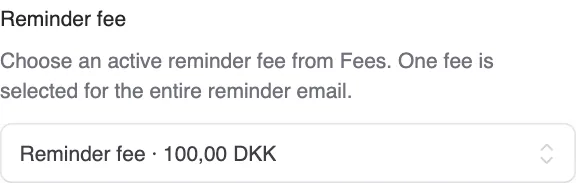
You can now select a reminder fee on each invoice reminder step in Payment reminders. Start with a friendly reminder without a fee, for example, and add DKK 100 at the next step. Reminder fees use the same fee catalogue as your invoice fees, and you choose which steps carry a fee.
Getting started: Activate Payment reminders under Apps & integrations if you do not already use it. Then create a fee of type Reminder fee under Settings → Fees. Go to Payment reminders → Settings, edit the relevant reminder step and select the fee. You can choose different fees for different steps or leave a step without a fee.
Reminder fees are in DKK, up to DKK 100 per reminder, and are outside the scope of VAT. One fee covers the entire reminder email, including when it lists several invoices. Before the first fee, confirm any earlier fee-bearing reminders for the customer’s ongoing arrears, including when none have been sent. Alunta checks the history and the interval between fees before sending. Reminders require your approval by default; you can choose automatic sending on later steps after the first approval.
The fee invoice and payment stay connected. When the reminder is sent, the fee gets its own invoice. The customer sees a combined payment overview and can pay the invoice and fee together. If the customer pays only the original invoice, the fee remains outstanding. Open the fee’s History and payments to follow the amounts and waive an unpaid fee with a credit note.
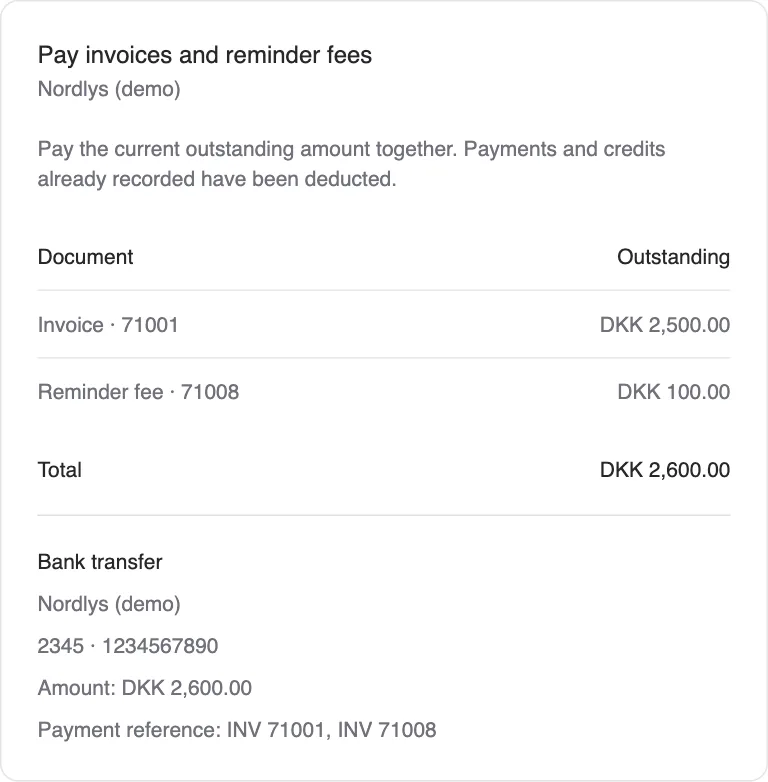
If you use e-conomic, Uniconta, Billy or Dinero, the fee invoice follows your accounting integration. Select the appropriate product or revenue account outside VAT when setting up the fee; Alunta checks the setup before use. Without an accounting integration, the fee invoice is handled in Alunta. Reminder fees are optional and are not added to your existing reminder steps by this update.


The people and AI helpers behind the updates
Bo Møller and Emil Højbjerg are the primary developers behind Alunta. They spend most of their time coding, so they have delegated the wording of these explanations to our AI helpers.
The AI helpers write from the updates we have deployed to the product. Bo and Emil are behind the changes and remain responsible for ensuring the information reflects what was actually released.
