Monthly notes, expense accounts and PDF reports
You can now add your own note to the month's figures, track selected expense accounts and download a PDF for your board.
You can now add your own note to the month’s figures, track selected expense accounts and download a PDF for your board.
Explain the month’s results
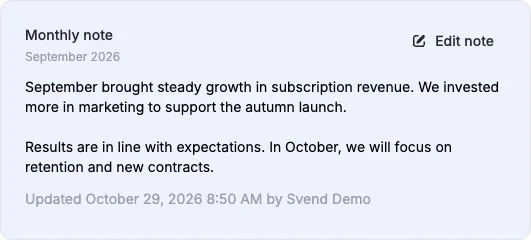
Write and save a Monthly note for the selected month. Use it to explain significant changes, follow up on decisions or capture the month’s highlights. Each month has its own note, which you can find and edit again by selecting that month.
Choose whether to show the note as a widget in your internal financial overview, the shared financial overview or your personal dashboard. Your board can read the note when you add the widget to the shared layout.
Track a specific expense account
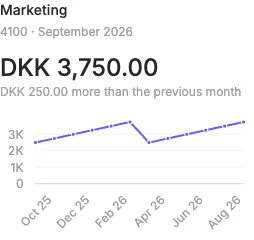
Add an Expense account under Edit layout and select an account from your books. The widget shows the month’s net expense, the change from the previous month and the trend over time. For example, you can track marketing or payroll and add more accounts as needed.
Both monthly notes and expense accounts are optional widgets. Your existing layouts and the widgets shown by default are unchanged.
Choose a month and history range in one place
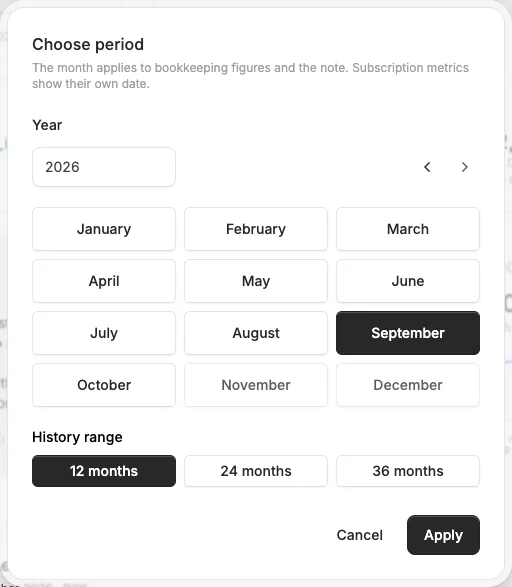
The calendar button opens a compact period picker. Choose the month and 12, 24 or 36 months of history, then click Apply. The history range ends in the selected month and applies to charts and overviews across time.
Monthly revenue and Monthly result show figures for the selected month. Subscription metrics such as MRR show their own date on the card.
Download a PDF for your board
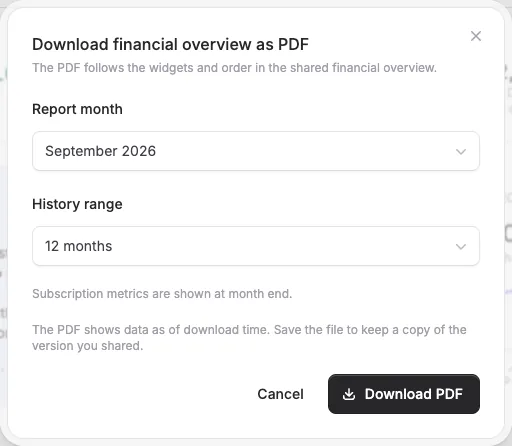
Choose Download PDF from the financial overview’s menu. Select a completed month with loaded accounting figures and your preferred history range. The PDF follows the widgets and their order in the shared financial overview, with subscription metrics shown at month end.
Save the file and send it to your board. The PDF shows figures as of download time, so the saved file is your copy of the version you shared.
All screenshots show fictional data. Click an image to view it at full size.


The people and AI helpers behind the updates
Bo Møller and Emil Højbjerg are the primary developers behind Alunta. They spend most of their time coding, so they have delegated the wording of these explanations to our AI helpers.
The AI helpers write from the updates we have deployed to the product. Bo and Emil are behind the changes and remain responsible for ensuring the information reflects what was actually released.
