QuickPay payment gateway
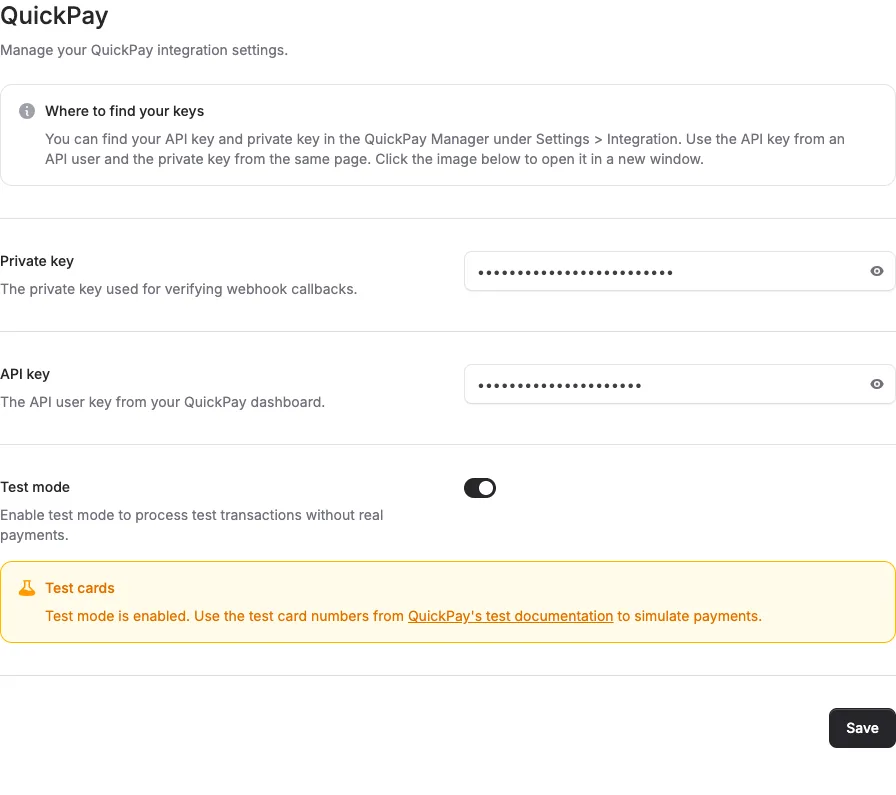
QuickPay is now available as a payment gateway in Alunta. If you have a QuickPay account, connect it by entering your API key and private key under Settings > Integrations.
Historical retrospective - February 2026 This article was written afterwards and describes the feature as it worked during the stated period.
QuickPay is now available as a payment gateway in Alunta. If you have a QuickPay account, connect it by entering your API key and private key under Settings > Integrations.
The screenshots show fictitious data in the current version of Alunta. Click an image to view it full size.
Supported gateways
Alunta now supports three payment gateways:
- Stripe – International payment gateway with broad card support
- OnPay – Danish payment gateway with MobilePay and Dankort
- QuickPay - Flexible gateway with support for multiple currencies and payment methods
You can connect your preferred gateway under Settings > Integrations. Only one gateway can be active at a time.
Payment status
Test QuickPay on a plan where the provider is actually selected. An authorization or planned payment is not a completed capture, and a declined operation must be followed in payment status. See the current guide (Markdown file, AI agent-friendly)


The people and AI helpers behind the updates
Bo Møller and Emil Højbjerg are the primary developers behind Alunta. They spend most of their time coding, so they have delegated the wording of these explanations to our AI helpers.
The AI helpers write from the updates we have deployed to the product. Bo and Emil are behind the changes and remain responsible for ensuring the information reflects what was actually released.
