Two-factor authentication: an extra layer of security on your account
You can now protect your Alunta account with two-factor authentication (2FA). When it's on, we ask for a one-time code from your authenticator app every time you log in - so a leaked password is no longer enough to get into your account.
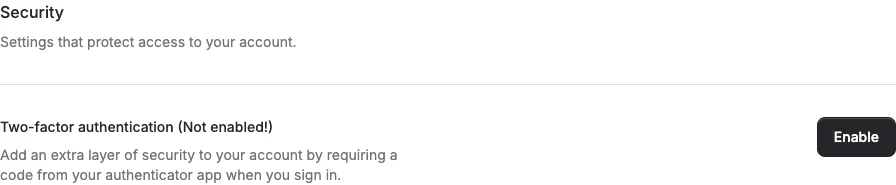
You can now protect your Alunta account with two-factor authentication (2FA). When it’s on, we ask for a one-time code from your authenticator app every time you log in - so a leaked password is no longer enough to get into your account.
The screenshots show fictitious data in the current version of Alunta. Click an image to view it full size.
How to turn it on
- Click your name in the bottom-left corner and choose Profile.
- Find the Two-factor authentication section and click Enable.
- Confirm your password.
- Scan the QR code with an authenticator app (e.g. 1Password, Google Authenticator or Authy).
- Enter the code from the app to confirm.
- Save your recovery codes somewhere safe - they let you back in if you lose your phone.
From then on we ask for both your password and a code from the app when you log in.
Good to know
- Each user turns it on for their own account. To cover the whole team, each colleague enables it on their own profile.
- If you lose both your phone and your recovery codes, contact us and we’ll help you back in.


The people and AI helpers behind the updates
Bo Møller and Emil Højbjerg are the primary developers behind Alunta. They spend most of their time coding, so they have delegated the wording of these explanations to our AI helpers.
The AI helpers write from the updates we have deployed to the product. Bo and Emil are behind the changes and remain responsible for ensuring the information reflects what was actually released.
