Change the renewal interval on tiered plans
Subscriptions on a tiered plan can now change renewal interval - for example from monthly to yearly - straight from the menu on the customer. The price is read from the tier the subscription is on, both in the preview and when the change takes effect.
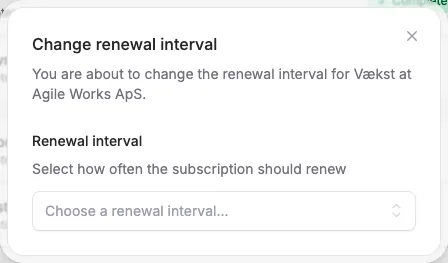
Subscriptions on a tiered plan can now change renewal interval - for example from monthly to yearly - straight from the menu on the customer. The price is read from the tier the subscription is on, both in the preview and when the change takes effect.
The screenshots show fictitious data in the current version of Alunta. Click an image to view it full size.
“Edit renewal interval” now only appears when the plan actually has more than one interval in the subscription’s currency. If you had a plan with, say, monthly DKK and monthly EUR, that menu item used to lead to an empty dialog - that is gone now.


The people and AI helpers behind the updates
Bo Møller and Emil Højbjerg are the primary developers behind Alunta. They spend most of their time coding, so they have delegated the wording of these explanations to our AI helpers.
The AI helpers write from the updates we have deployed to the product. Bo and Emil are behind the changes and remain responsible for ensuring the information reflects what was actually released.
