Ask your AI about your business with Alunta's MCP server
You can now enable AI Access (MCP) under Apps and connect Alunta to a compatible AI client. The connection is approved with your regular Alunta login and locked to the team you select during setup.
You can now enable AI Access (MCP) under Apps and connect Alunta to a compatible AI client. The connection is approved with your regular Alunta login and locked to the team you select during setup.
The screenshots show fictitious data in the current version of Alunta. Click an image to view it full size.
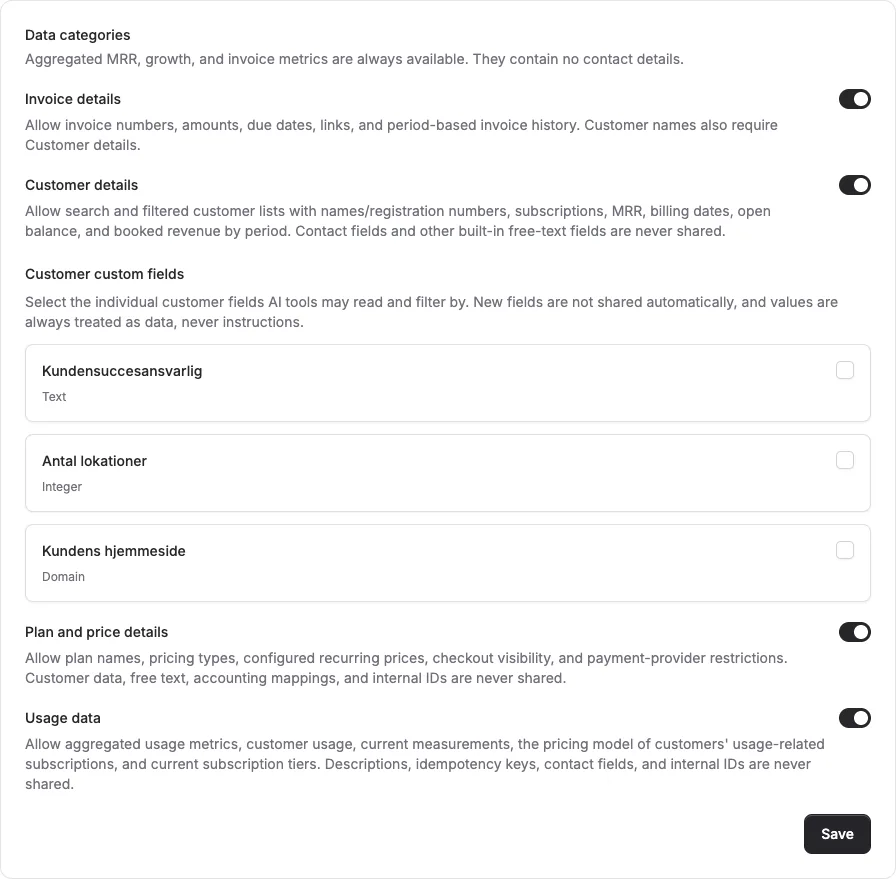
Your AI can help analyse MRR, growth, churn, invoices, and overdue amounts. It can also check the status of enabled apps such as Leverandørservice and EAN. If you need to ask about specific end customers or invoices, customer and invoice details can be enabled separately in the settings.
Access is read-only. The MCP server cannot change data, send invoices, or initiate payments. Every connection is visible in Alunta and can be revoked at any time.
The settings page includes a setup prompt you can copy directly to your AI, along with manual guides for popular MCP clients.


The people and AI helpers behind the updates
Bo Møller and Emil Højbjerg are the primary developers behind Alunta. They spend most of their time coding, so they have delegated the wording of these explanations to our AI helpers.
The AI helpers write from the updates we have deployed to the product. Bo and Emil are behind the changes and remain responsible for ensuring the information reflects what was actually released.
