See when the money comes in
You can now add the Cashflow forecast widget to your dashboard. It shows the next six months, either by when you expect the money to come in or by when invoices go out.
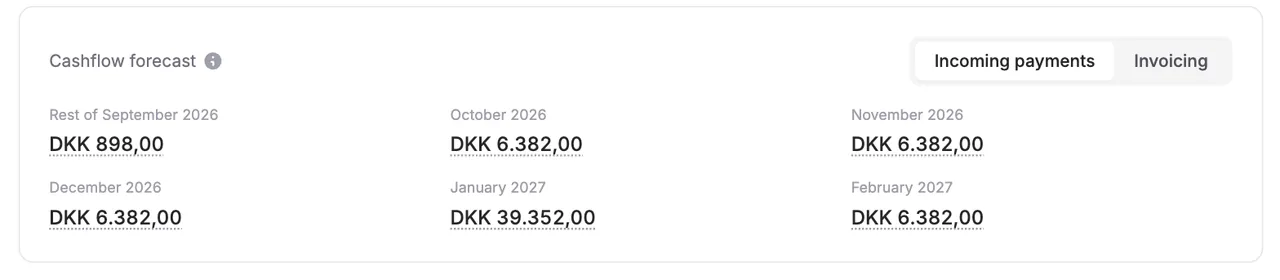
You can now add the Cashflow forecast widget to your dashboard. It shows the next six months, either by when you expect the money to come in or by when invoices go out.
The screenshots use fictitious data. Click an image to view it at full size.
Choose between incoming payments and invoicing
Switch between two views at the top of the widget:
- Incoming payments: When the money is expected to arrive. Card payments count on the day the card is charged, normally the start of the period, bank transfers on the due date and Leverandørservice on the collection date. Booked invoices that are not paid yet count with the amount still outstanding, on their due date or, for Leverandørservice, on the collection date.
- Invoicing: When invoices go out. These are the same figures as in the Invoicing widget, just six months ahead.
Incoming payments only shows money you have not received yet, so the first month is called something like “Rest of September”.
See what makes up a figure
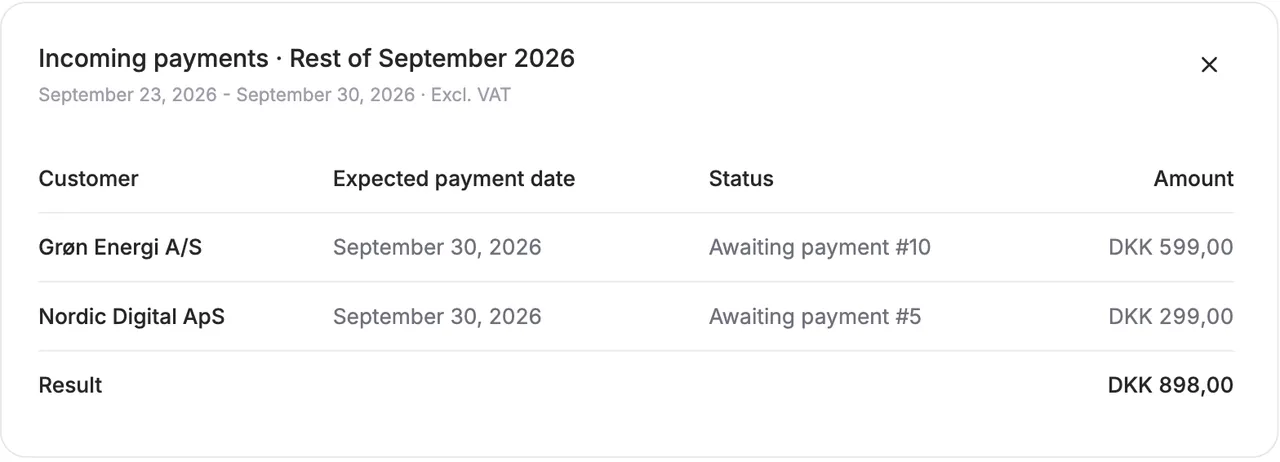
Click an amount to see the customers behind it, with the expected payment date, status and amount. An amount of 0 has nothing behind it, so it cannot be opened.
Good to know
- All amounts exclude VAT. What lands in your bank account includes VAT.
- The forecast assumes customers pay on time. Once an invoice is overdue, it drops out of the forecast, because we do not know when it will be paid.
- It only shows incoming payments from invoices and subscriptions in Alunta. Expenses and invoices outside Alunta are not included.
- Card payments can be declined and customers can pay late, so the figure is an estimate.
- Amounts that cannot be calculated yet, such as usage that has not been reported, are not included. The widget tells you when that is the case.
Add the widget
Select Edit layout on the dashboard and add Cashflow forecast. You can move, resize and remove it like the other widgets.


The people and AI helpers behind the updates
Bo Møller and Emil Højbjerg are the primary developers behind Alunta. They spend most of their time coding, so they have delegated the wording of these explanations to our AI helpers.
The AI helpers write from the updates we have deployed to the product. Bo and Emil are behind the changes and remain responsible for ensuring the information reflects what was actually released.
