See and manage every account of the same company together
If you have several Alunta accounts under the same CVR number, we now group them as one company. Accounts with a different CVR number are never mixed in, even when you have access to them.
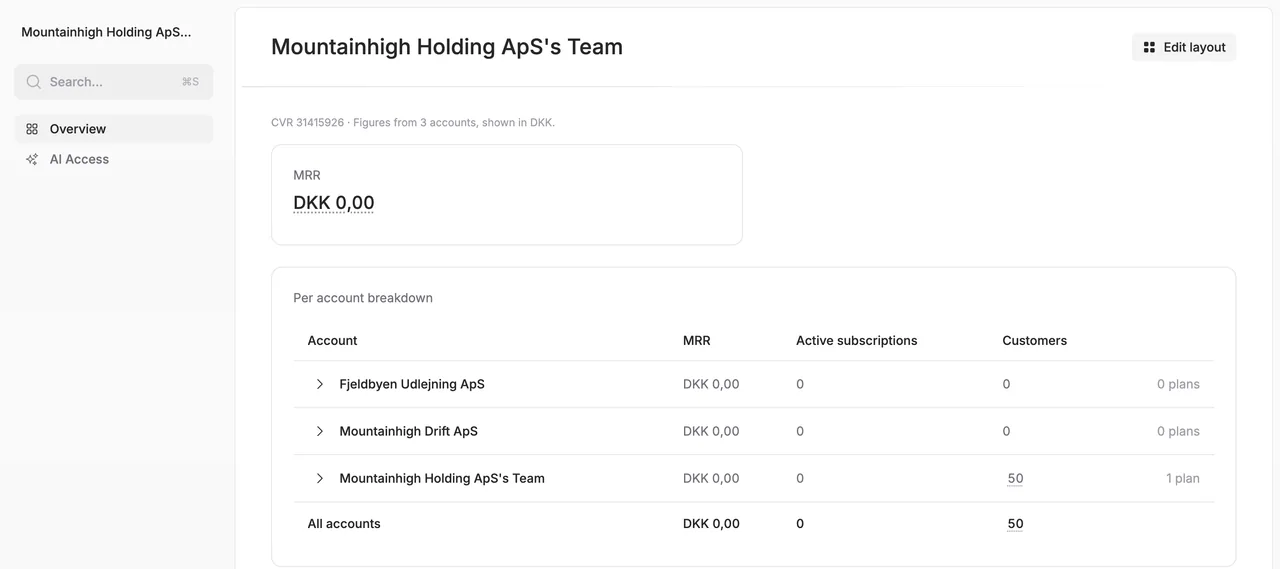
If you have several Alunta accounts under the same CVR number, we now group them as one company. Accounts with a different CVR number are never mixed in, even when you have access to them.
One overview for the company
In the account switcher your accounts are now listed under the company they belong to. Click the company to get an overview with the same widgets as an account’s own overview, with figures from all of the company’s accounts converted to one currency. You choose and arrange the widgets yourself, and each user keeps their own layout for the company.
Finance access and AI follow the CVR number
When you give a bookkeeper or accountant Finance · Read-only, accounts with the same CVR number are now selected in advance. And when someone connects their AI, they can choose All accounts in the company. The connection only covers accounts with that CVR number.
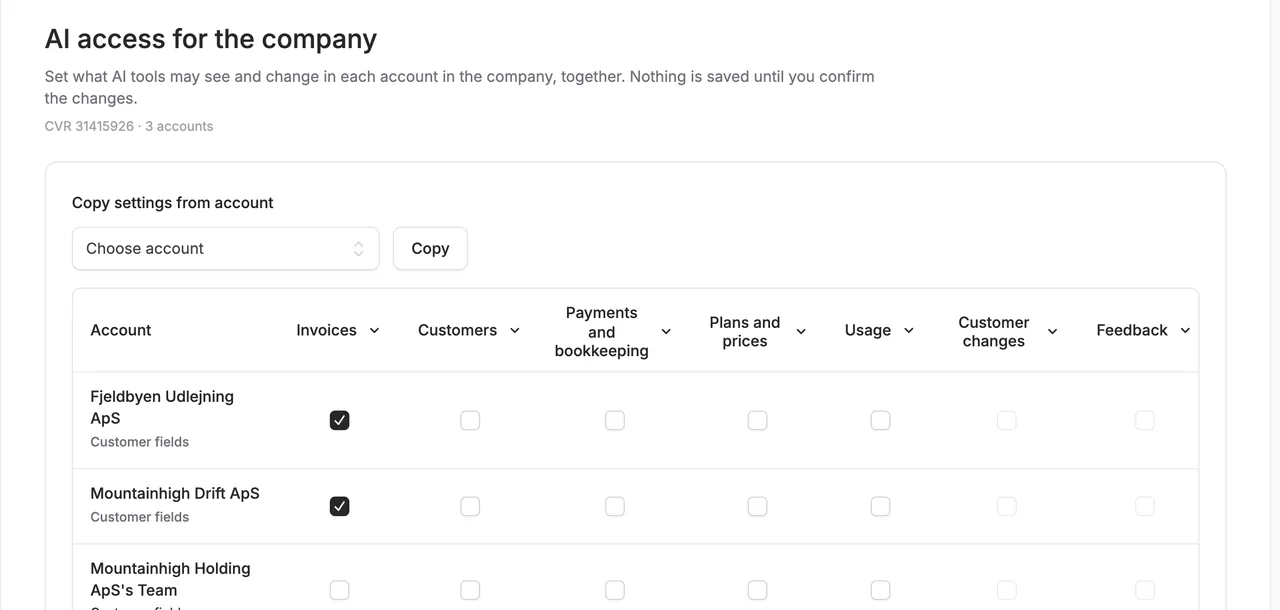
AI settings for the whole company on one page
Under AI access in the company menu you can see and change what AI tools may see in each account, in one table. Nothing is saved until you have seen exactly what changes in which accounts and confirmed it. You can only change accounts where you are an administrator yourself, and each change is logged in that account.


The people and AI helpers behind the updates
Bo Møller and Emil Højbjerg are the primary developers behind Alunta. They spend most of their time coding, so they have delegated the wording of these explanations to our AI helpers.
The AI helpers write from the updates we have deployed to the product. Bo and Emil are behind the changes and remain responsible for ensuring the information reflects what was actually released.
