New app: Bank connection with file import
You can now use Bank connection to import account statements and Danish FI payment files from your bank. You do not need a direct bank connection to get started.
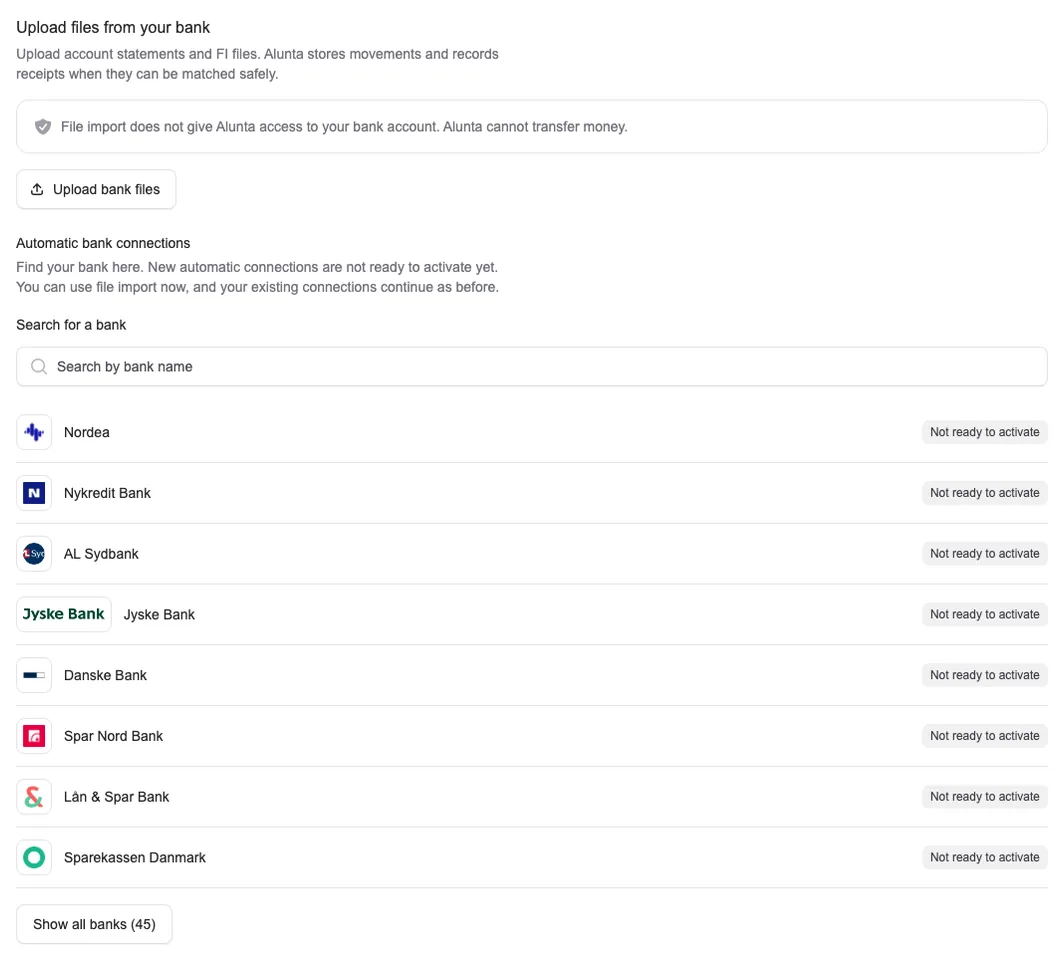
You can now use Bank connection to import account statements and Danish FI payment files from your bank. You do not need a direct bank connection to get started.
Find the app under Apps & integrations or Settings → Bank connection. Select the bank account, upload your files and review the preview before importing. Alunta stores the account movements and recognises files already imported.
An account movement is not always enough to record a payment. Standard CSV and Excel statements are stored as movements. A reference column in such a file does not by itself provide enough evidence to record a payment safely. Bank-issued FI files and supported XML exports can contain the documented payment references required.
When the information provides a safe match to a DKK invoice, you can record the receipt under Payments. You can also enable automatic recording of safe matches once setup is complete. With a correctly configured e-conomic, Dinero or Billy integration, the payment can also be posted to your accounts.
Recorded receipts update the invoice’s outstanding balance and are taken into account by Payment reminders. A fully paid invoice should therefore not receive another reminder. Import your latest bank files before a reminder run: Alunta can only take a receipt into account once it has been recorded.
We are working on direct bank connections and expect to open access over the coming months. Access will roll out gradually as the banks become ready. Until then, automatic connections are marked Not ready to activate, and you can use file import.


The people and AI helpers behind the updates
Bo Møller and Emil Højbjerg are the primary developers behind Alunta. They spend most of their time coding, so they have delegated the wording of these explanations to our AI helpers.
The AI helpers write from the updates we have deployed to the product. Bo and Emil are behind the changes and remain responsible for ensuring the information reflects what was actually released.