All your product sales in one place
Go to Products → Sales to see what sold and open the invoice directly from each sale. Use the filter and mark sales as New, In progress or Completed. Invoice status appears alongside, so you can see what has been paid and what needs your attention.
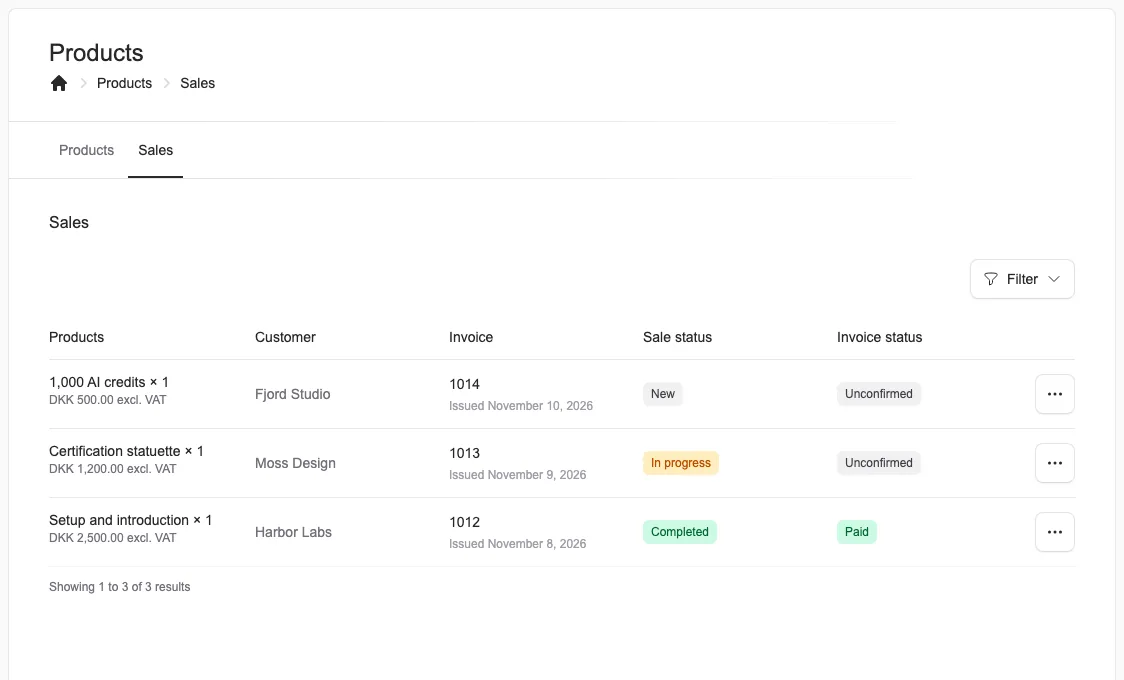
Go to Products → Sales to see what sold and open the invoice directly from each sale. Use the filter and mark sales as New, In progress or Completed. Invoice status appears alongside, so you can see what has been paid and what needs your attention.
Make it easy to add to a purchase
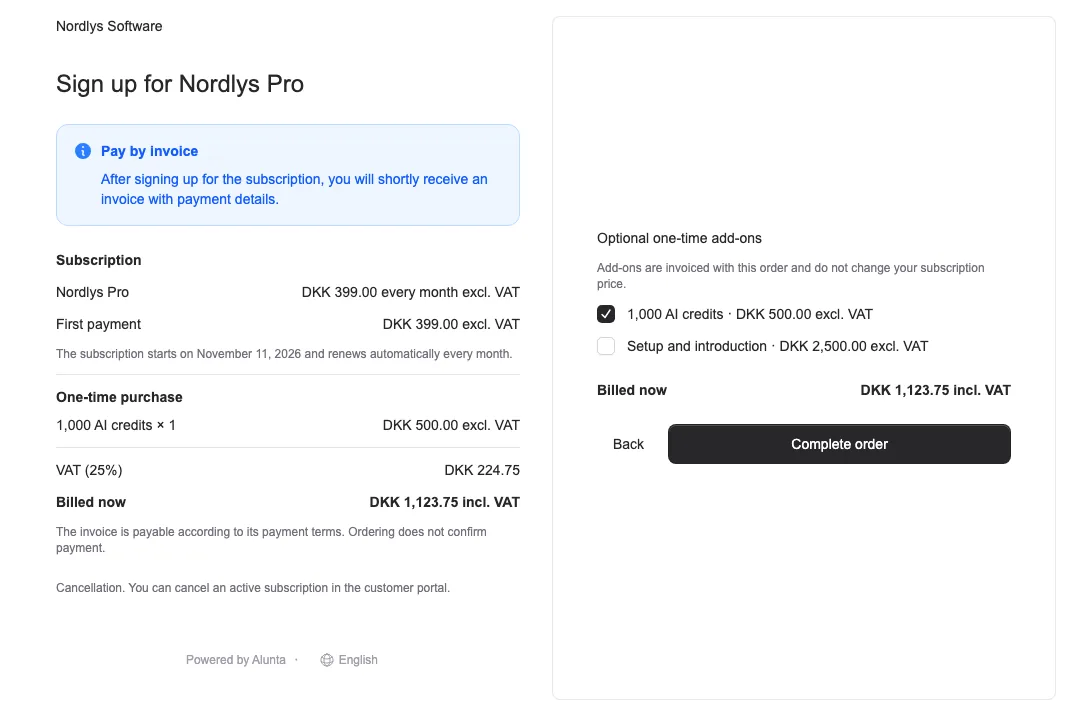
When you offer add-ons on a plan or bundle, buyers choose them in a dedicated checkout step. One-time charges and recurring subscription prices are shown separately, with clear VAT labels.
You can also pick products directly from your catalogue when creating a one-off invoice and add custom fields to products, such as an item number or an internal category. You can delete unused drafts directly from the product page. If you use the API, you can read and update both sale status and product custom fields.


The people and AI helpers behind the updates
Bo Møller and Emil Højbjerg are the primary developers behind Alunta. They spend most of their time coding, so they have delegated the wording of these explanations to our AI helpers.
The AI helpers write from the updates we have deployed to the product. Bo and Emil are behind the changes and remain responsible for ensuring the information reflects what was actually released.