One-off invoice payments
One-off invoices can now be marked as paid in several ways, and you are notified via webhook regardless of how your customer pays.
Historical retrospective - April 2026 This article was written afterwards and describes the feature as it worked during the stated period.
One-off invoices can now be marked as paid in several ways, and you are notified via webhook regardless of how your customer pays.
The screenshots show fictitious data in the current version of Alunta. Click an image to view it full size.
New webhook events
invoice.paid- fires when an invoice is paid, regardless of payment method. Covers bank transfer (when you mark it as paid manually), online card payment, and subscription payments.invoice.payment_failed- fires when an online payment attempt fails.
Online card payment of one-off invoices
- Send one-off invoices with a secure “Pay now” link in the email so the customer can pay by card online.
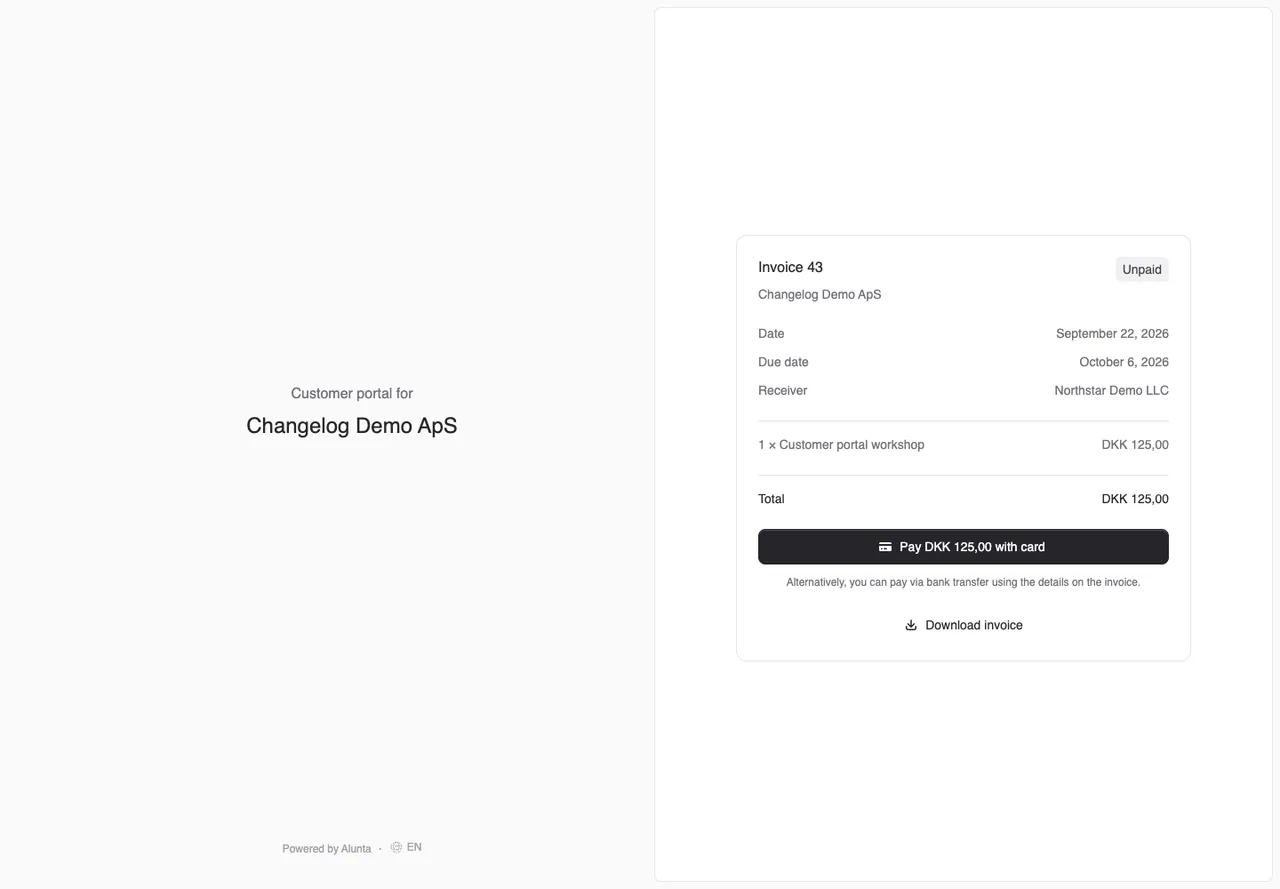
- Customers can also pay from the customer portal via a “Pay” button.
- Payments go through whichever gateway your team has connected - Stripe, OnPay or QuickPay. All three are supported from day one.
- The gateways documented for this workflow were Stripe, OnPay, and QuickPay. Which providers your team can choose today is shown in the current payment setup.
If your customer continues to pay via bank transfer, nothing changes - when you mark the invoice as paid, invoice.paid still fires.
Create, send, and pay one-off invoices
A one-off invoice is separate from subscription periods. Create the customer, add lines, check the total, and choose online payment or bank details. The customer can pay by card through the active provider or transfer funds. For a bank transfer, register the amount actually received manually; for a card payment, check the payment status confirmed by the provider instead. An authorization or planned date is not a paid invoice. See the current guide (Markdown file, AI agent-friendly)
Check after the action
Use this check during follow-up: note what was visible before the action, perform only the selected action, and check the document or mandate afterwards. Read a status again before informing the customer if it changes later. The retrospective describes the documented milestone; the current guide and interface determine today’s steps. Examples use fictional customers, amounts, and dates.


The people and AI helpers behind the updates
Bo Møller and Emil Højbjerg are the primary developers behind Alunta. They spend most of their time coding, so they have delegated the wording of these explanations to our AI helpers.
The AI helpers write from the updates we have deployed to the product. Bo and Emil are behind the changes and remain responsible for ensuring the information reflects what was actually released.
