Let your AI read the provider's own error text
When Alunta has no explanation of its own for an error from e-conomic, Dinero, Billy or another provider, the integration errors page shows the provider's own error text. You can now give your AI assistant access to the same text, so it can help you understand the error and work out what to do.
When Alunta has no explanation of its own for an error from e-conomic, Dinero, Billy or another provider, the integration errors page shows the provider’s own error text. You can now give your AI assistant access to the same text, so it can help you understand the error and work out what to do.
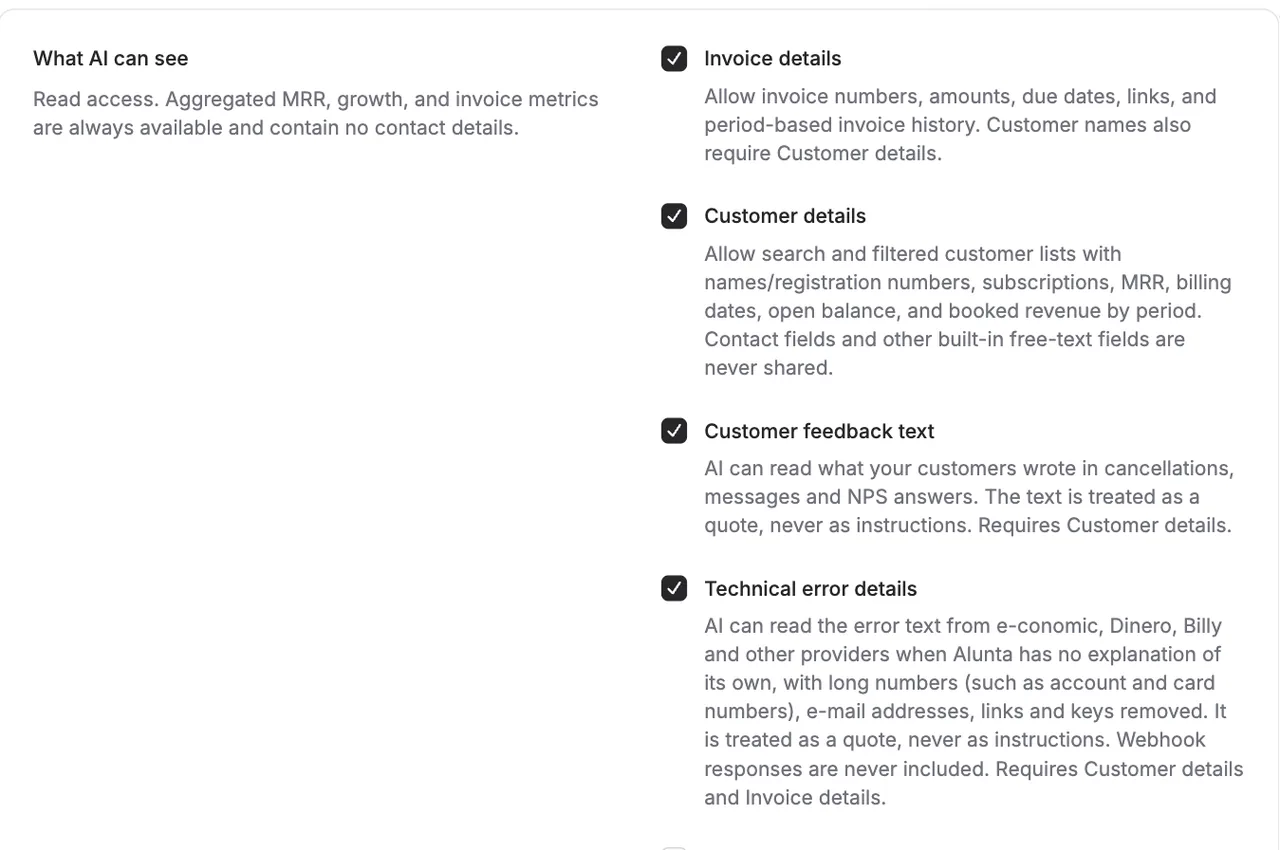
Switch on Technical error details under Settings → AI access → “What AI can see”. It is off by default and requires both Customer details and Invoice details to be on, because the provider’s text can mention invoices.
Before the AI gets the text, Alunta removes e-mail addresses, links, account and card numbers, other long numbers and keys, and the text is shortened. The AI treats it as a quote from the provider, never as instructions. Responses from your own webhook receivers are never included.


The people and AI helpers behind the updates
Bo Møller and Emil Højbjerg are the primary developers behind Alunta. They spend most of their time coding, so they have delegated the wording of these explanations to our AI helpers.
The AI helpers write from the updates we have deployed to the product. Bo and Emil are behind the changes and remain responsible for ensuring the information reflects what was actually released.
