Financial overview for you and your board
How is your business doing? The new Financial overview app lets you follow revenue, expenses and profit month by month inside Alunta. Accounting figures come from your connected accounting system, so you can explore your history without first putting a spreadsheet together.
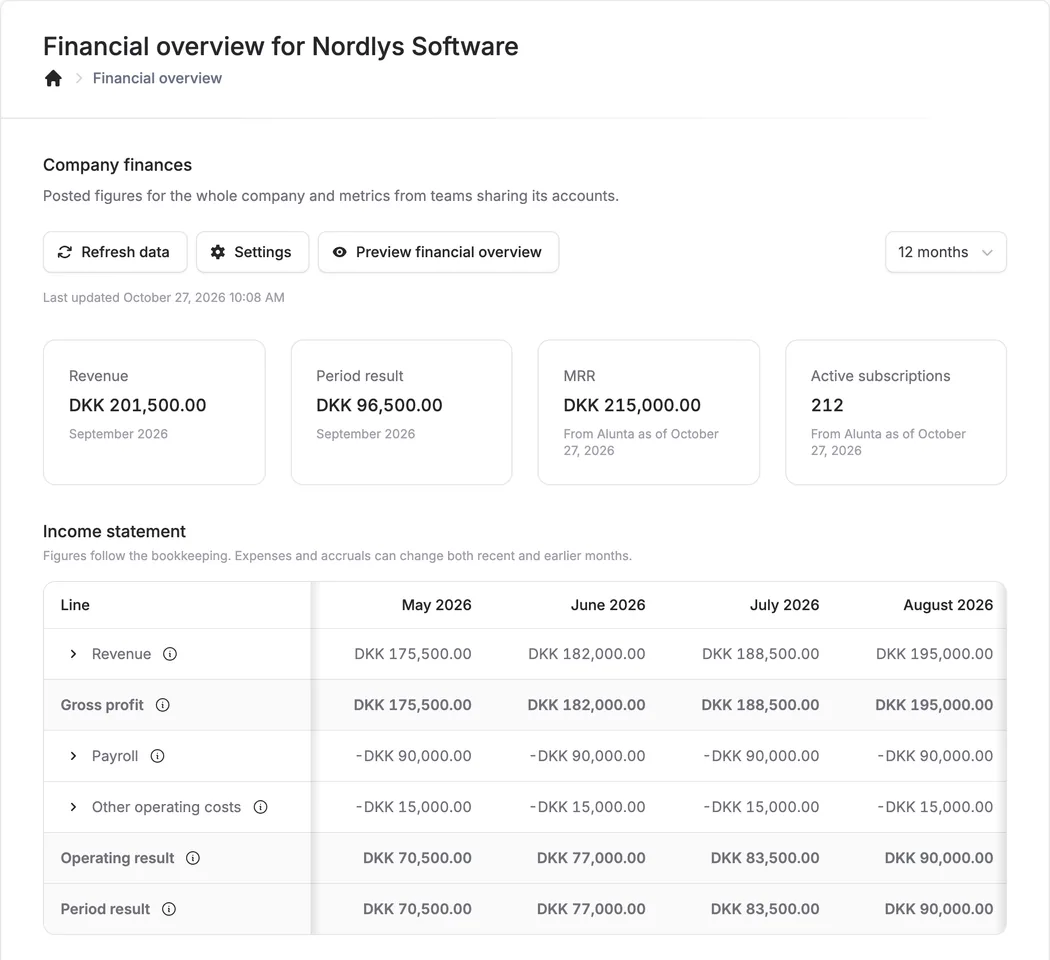
How is your business doing? The new Financial overview app lets you follow revenue, expenses and profit month by month inside Alunta. Accounting figures come from your connected accounting system, so you can explore your history without first putting a spreadsheet together.
View your income statement, scroll back through the months and follow Alunta subscription metrics such as MRR and active subscriptions. A balance sheet is also available when the underlying data supports it. Explanations beside the figures help you understand them, even if accounting is not your day job.
Give your board its own overview
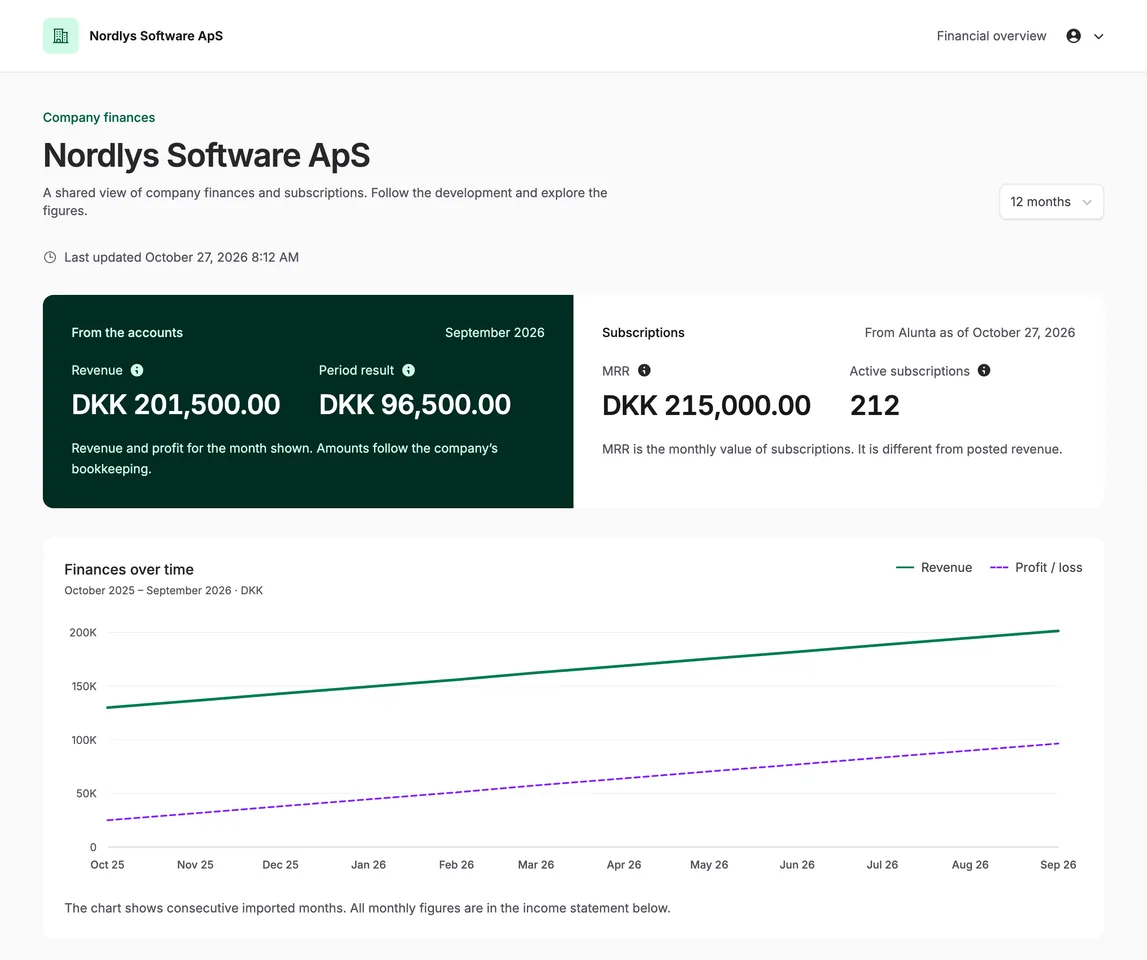
Invite a board member, investor or adviser with Financial overview · Read access access. They use Alunta’s usual login and get a dedicated view with your company’s name, finances and shared metrics. As an owner or administrator, choose Preview financial overview in the financial overview to see that same page before inviting anyone.
Read-only access lets them follow the figures without changing them. The invitation does not give them access to work with customers, subscriptions or invoices elsewhere in Alunta.
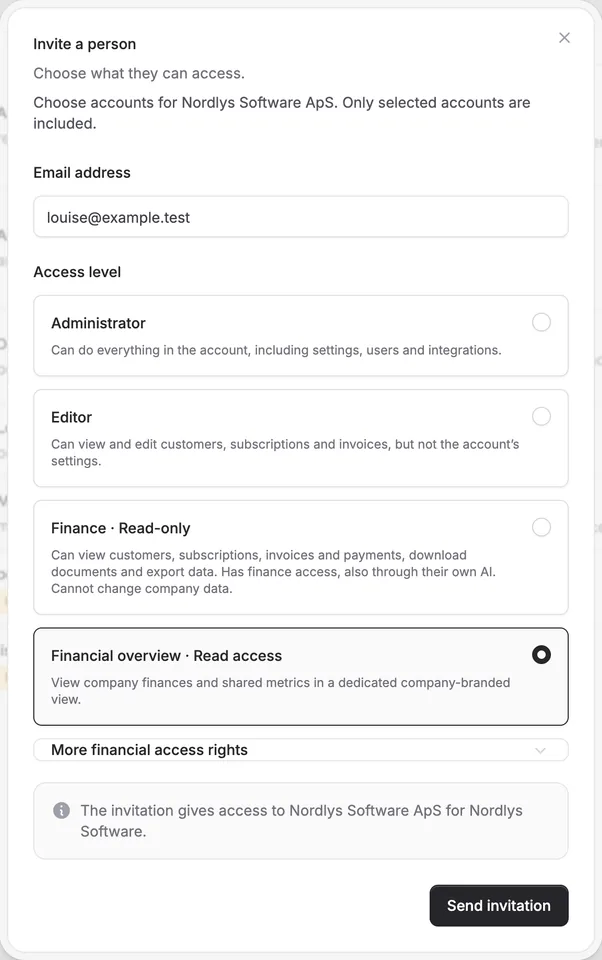
To invite someone:
- Open Users and activity.
- Choose to invite a person and enter their email address.
- Select Financial overview · Read access and send the invitation.
One set of accounts, several teams
If several of your teams have the same company registration number and are connected to the same accounting ledger, the shared overview shows the company’s combined finances. Each team’s own view shows its invoicing and subscription figures, with a link to the company’s overall finances. If you have one team with its own ledger, the full overview lives inside that team.
Get started under Apps & integrations → Financial overview. Activate the app once your accounting system is connected. The first import prepares your accounting history in the background, and figures appear as they become ready.
Accounting figures follow your bookkeeping. Later postings and accruals can change earlier months. Subscription metrics come from Alunta, and the available history and balance sheet depend on the underlying data.
All screenshots show fictional companies and sample figures. Click an image to view it at full size.


The people and AI helpers behind the updates
Bo Møller and Emil Højbjerg are the primary developers behind Alunta. They spend most of their time coding, so they have delegated the wording of these explanations to our AI helpers.
The AI helpers write from the updates we have deployed to the product. Bo and Emil are behind the changes and remain responsible for ensuring the information reflects what was actually released.