Allow changes without reconnecting AI
Existing AI connections now follow each account’s current AI settings and the user’s current role. Enable the write categories you want under Settings → AI Access → “What AI can change” for each account. This also applies to older company connections; no separate write approval or reconnect is needed. Confirmation before changes remains on by default.
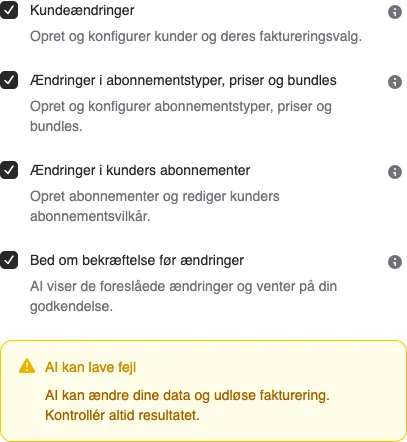
Existing AI connections now follow each account’s current AI settings and the user’s current role. Enable the write categories you want under Settings → AI Access → “What AI can change” for each account. This also applies to older company connections; no separate write approval or reconnect is needed. Confirmation before changes remains on by default.


The people and AI helpers behind the updates
Bo Møller and Emil Højbjerg are the primary developers behind Alunta. They spend most of their time coding, so they have delegated the wording of these explanations to our AI helpers.
The AI helpers write from the updates we have deployed to the product. Bo and Emil are behind the changes and remain responsible for ensuring the information reflects what was actually released.